• 中文版
  • BM
  • News
  • Deals
  • Reviews
    • First Impressions
    • Hands-on
    • Comparisons
  • Tech
    • Mobile
    • Computers
    • Cameras
    • Wearables
    • Audio
    • Drones
  • Telco
    • Celcom
    • Digi
    • Maxis
    • Time
    • Tune Talk
    • U Mobile
    • Unifi
    • Yes
  • Cars
  • Contribute
  • Jobs
Menu
  • 中文版
  • BM
  • News
  • Deals
  • Reviews
    • First Impressions
    • Hands-on
    • Comparisons
  • Tech
    • Mobile
    • Computers
    • Cameras
    • Wearables
    • Audio
    • Drones
  • Telco
    • Celcom
    • Digi
    • Maxis
    • Time
    • Tune Talk
    • U Mobile
    • Unifi
    • Yes
  • Cars
  • Contribute
  • Jobs
Search
  • Tech
    • News
    • Mobile
    • Computers
    • Cameras
    • Wearables
    • Audio
    • Drones
  • Telco
    • Celcom
    • Digi
    • Maxis
    • Time
    • U Mobile
    • Unifi
    • Yes
  • Reviews
    • First Impressions
    • Hands-on
    • Comparisons
  • Buyer’s Guide
  • Opinions
  • Digital Life
  • Video
  • Deals
  • How-To
  • Cars
  • Bahasa Melayu
  • EV
  • Contribute
  • Advertise
Menu
  • Tech
    • News
    • Mobile
    • Computers
    • Cameras
    • Wearables
    • Audio
    • Drones
  • Telco
    • Celcom
    • Digi
    • Maxis
    • Time
    • U Mobile
    • Unifi
    • Yes
  • Reviews
    • First Impressions
    • Hands-on
    • Comparisons
  • Buyer’s Guide
  • Opinions
  • Digital Life
  • Video
  • Deals
  • How-To
  • Cars
  • Bahasa Melayu
  • EV
  • Contribute
  • Advertise
Search
Close
Home News

Unlock your Huawei Mate 10 like an iPhone X

  • BY Andrew Teoh
  • 29 May 2018
  • 9:50 pm
  • Comment
Share on FacebookShare on Twitter

We all value our own privacy, and years after years, smartphone makers have been busting their butts to create a phone that offers more security. We have the password unlock, gesture unlock, iris scanner unlock, fingerprint unlock, and also facial recognition unlock feature.

Facial recognition is currently ‘the’ new trend and it has already been adopted by many of the giant smartphone makers in the industry. Now, Huawei implementing their own version of facial recognition on their Huawei Mate 10 series.
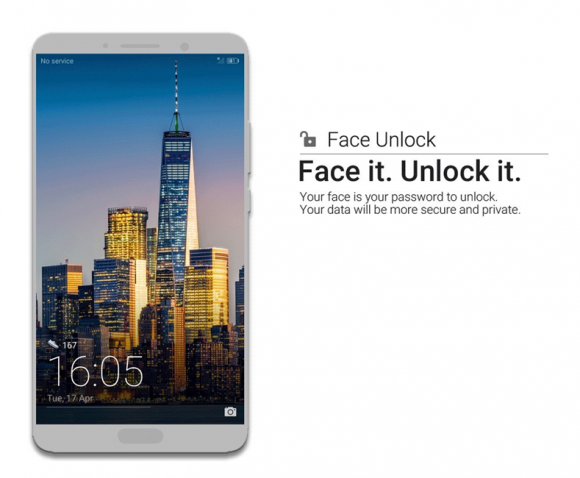
With the new software update rolling out on 25th May 2018, all Mate 10 series users are now able to gain this additional feature.
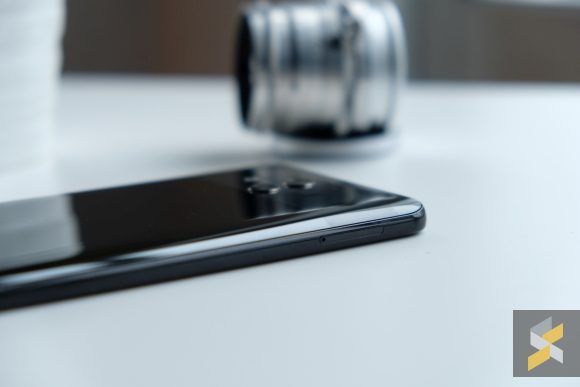
The facial recognition comes with 2 options – Direct Unlock and Slide to Unlock. The Direct Unlock feature allows you to unlock your phone instantly, while Slide to Unlock works with the “Smart Lock Screen Notifications”. When enabled, the device blocks all notifications from being viewed unless the device itself is unlocked.

Setting up the facial recognition is fairly easy, upon installing the update, just head to Settings and look for Face unlock under security and privacy. It’s pretty straightforward and once it’s done you can use your face to unlock the phone. For faster unlocking, you can enable the “Pick up to wake” option.
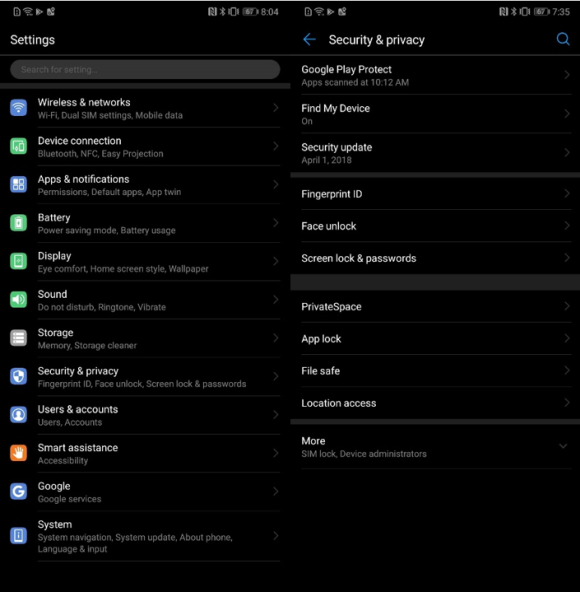
Mate 10 series already has a reliable fingerprint sensor. Hence, this upgrade is not really a game changer but it’s a new addition for Mate 10 users that want to try facial unlock. Regardless, Huawei’s facial recognition feature has been rather reliable especially on its latest P20 series.

Huawei also has a disclaimer that Face Unlock is less secure than other unlock methods such as pattern, PIN and password. It also mentions that people or objects that resemble you might unlock your device.
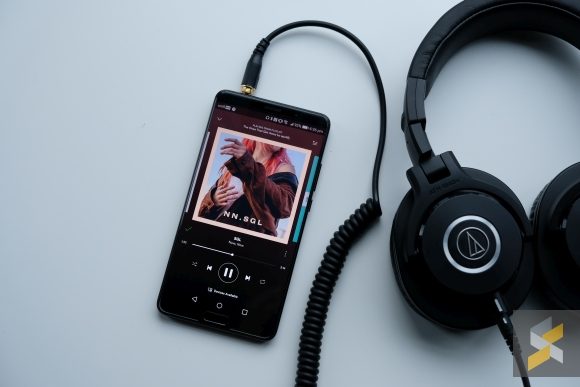
The Mate 10 series was introduced in late 2017 and it features Huawei’s new Kirin 970 processor. The Mate 10 Pro came with a larger 6.0″ AMOLED FullHD+ display with 6GB RAM along with 128GB of non-expandable storage. Whereas the standard Mate 10 came with a 5.9” Quad HD display with 4GB RAM and 64GB of storage which is expandable via microSD.

You can also check out our review on the Huawei Mate 10 here.

UPDATE: Huawei Malaysia has announced that the Face Unlock update will be rolled out in stages.

Tags: Androidface recognitionFace UnlockHuaweiHuawei Mate 10Huawei Mate 10 Face UnlockHuawei mate 10 malaysiaHuawei Mate 10 ProHuawei Mate 10 Pro Malaysiasmartphone
Andrew Teoh

Andrew Teoh

POPULAR

Unlock your Huawei Mate 10 like an iPhone X

May 29, 2018

Is Your Current Phone Generations Behind? Here’s a Simpler Way to Close the Gap

March 13, 2026
Image source: Jakub Zerdzicki on Pexels

AEON Bank’s Personal Financing-i (PF-i): Flexible Funds to Help Ease Budget Constraints

December 24, 2025

The Xiaomi 17 Proves You Don’t Need a Giant Phone for Pro-Level Photos

February 28, 2026

U Mobile’s new ULTRA Prepaid now offers no speed cap for 5G. RM50 prepaid offers 500GB data and 2x ULTRA5G Priority pass

April 7, 2026

Maybank MAE users: Update your app by 11 April or risk losing access

April 4, 2026

Copyright © 2025 · SoyaCincau.com
Mind Blow Sdn Bhd (1076827-P)

  • ADVERTISE
  • DISCLAIMER

Copyright © 2026 · SoyaCincau.com – Mind Blow Sdn Bhd (1076827-P)

  • ADVERTISE
  • DISCLAIMER