• 中文版
  • BM
  • News
  • Deals
  • Reviews
    • First Impressions
    • Hands-on
    • Comparisons
  • Tech
    • Mobile
    • Computers
    • Cameras
    • Wearables
    • Audio
    • Drones
  • Telco
    • Celcom
    • Digi
    • Maxis
    • Time
    • Tune Talk
    • U Mobile
    • Unifi
    • Yes
  • Cars
  • Contribute
  • Jobs
Menu
  • 中文版
  • BM
  • News
  • Deals
  • Reviews
    • First Impressions
    • Hands-on
    • Comparisons
  • Tech
    • Mobile
    • Computers
    • Cameras
    • Wearables
    • Audio
    • Drones
  • Telco
    • Celcom
    • Digi
    • Maxis
    • Time
    • Tune Talk
    • U Mobile
    • Unifi
    • Yes
  • Cars
  • Contribute
  • Jobs
Search
  • Tech
    • News
    • Mobile
    • Computers
    • Cameras
    • Wearables
    • Audio
    • Drones
  • Telco
    • Celcom
    • Digi
    • Maxis
    • Time
    • U Mobile
    • Unifi
    • Yes
  • Reviews
    • First Impressions
    • Hands-on
    • Comparisons
  • Buyer’s Guide
  • Opinions
  • Digital Life
  • Video
  • Deals
  • How-To
  • Cars
  • Bahasa Melayu
  • EV
  • Contribute
  • Advertise
Menu
  • Tech
    • News
    • Mobile
    • Computers
    • Cameras
    • Wearables
    • Audio
    • Drones
  • Telco
    • Celcom
    • Digi
    • Maxis
    • Time
    • U Mobile
    • Unifi
    • Yes
  • Reviews
    • First Impressions
    • Hands-on
    • Comparisons
  • Buyer’s Guide
  • Opinions
  • Digital Life
  • Video
  • Deals
  • How-To
  • Cars
  • Bahasa Melayu
  • EV
  • Contribute
  • Advertise
Search
Close
Home News

Digi enables Voice over WiFi for clearer calls at poor reception areas

  • BY Alexander Wong
  • 6 June 2017
  • 1:00 pm
  • Comment
Share on FacebookShare on Twitter

Digi Voice over WiFi

After activating VoLTE (Voice over LTE), Digi has finally enabled VoWiFi (Voice over WiFi) for its users. This new feature which is also known as WiFi Calling would allow subscribers to make and receive calls in bad reception areas as long as you’re connected to WiFi.

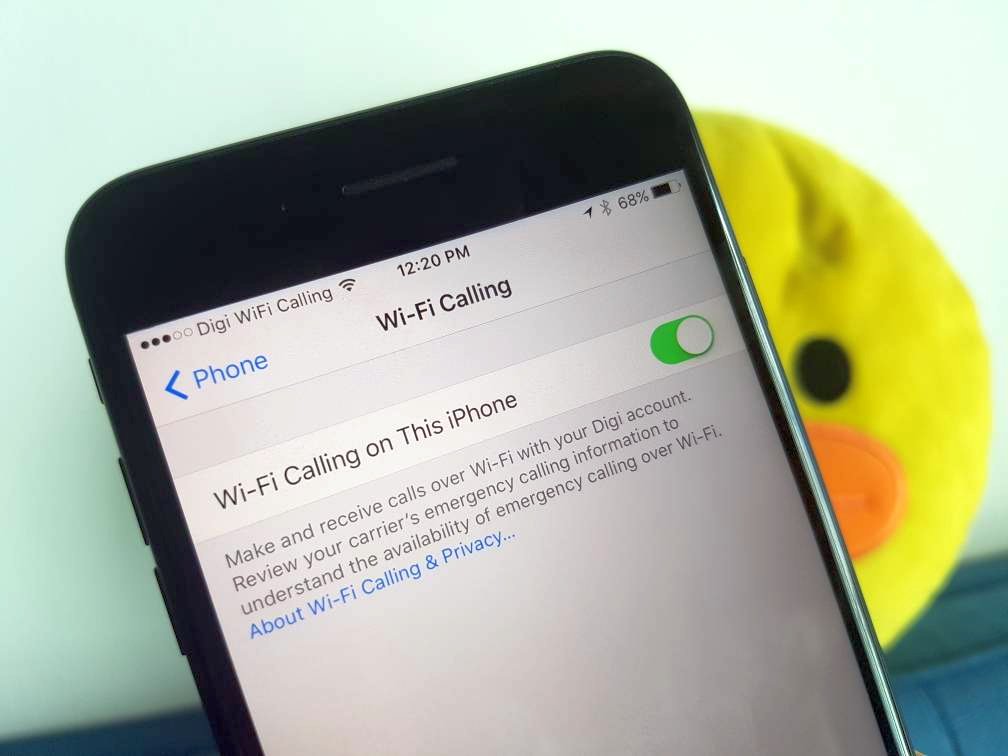
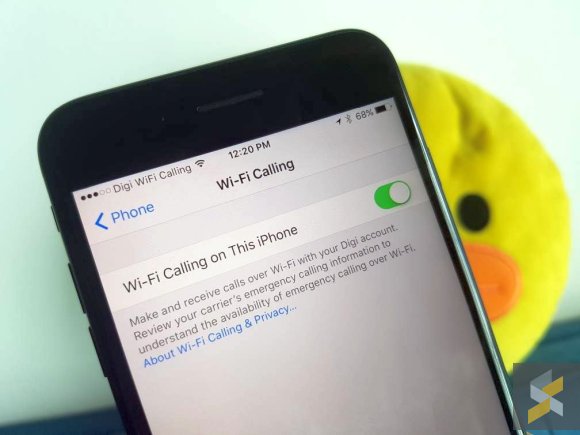
At the moment, it appears to be enabled for iPhone users only and it is applicable for both postpaid and prepaid subscribers. To enable WiFi Calling, just go to Settings > Phone and select WiFi Calling. Once you’ve enabled WiFi Calling, wait a couple of seconds and you should notice the operator label at the top change from “Digi” to “Digi WiFi Calling” as shown below.

If you don’t have this option, please check if you’ve received a carrier settings update. Take note that WiFi calling for Apple is currently supported on the iPhone 5C/5S and above.

While VoLTE offers HD voice calls over 4G LTE, VoWiFi is a great alternative for subscribers that can’t get a reliable signal indoors. So if you’re at an underground train station or in a building with no signal, you can still make and receive calls loud and clear as long as there’s a WiFi connection.

Thanks Vincent for the tip!

Tags: DiGiDigi VoWiFiDigi Wifi CallingiPhonevoice over wifiVoWiFiWiFi Calling
Alexander Wong

Alexander Wong

POPULAR

U Mobile ULTRA5G: Fast 5G That Actually Works Indoors

May 29, 2026

Digi enables Voice over WiFi for clearer calls at poor reception areas

June 6, 2017

Why Pay More for a Flagship? Can the Xiaomi 17T Deliver the Same Experience for Less?

May 29, 2026

RM32 Per Line with 1TB Shared Data? Inside U Mobile’s New ULTRA Family Suite

May 7, 2026

Tesla prices to go up from July due to MITI’s CBU EV rules?

June 21, 2026

Tesla Malaysia: Full Self-Driving one-time purchase option no longer available from 1st July 2026

June 19, 2026

Copyright © 2025 · SoyaCincau.com
Mind Blow Sdn Bhd (1076827-P)

  • ADVERTISE
  • DISCLAIMER

Copyright © 2026 · SoyaCincau.com – Mind Blow Sdn Bhd (1076827-P)

  • ADVERTISE
  • DISCLAIMER