• 中文版
  • BM
  • News
  • Deals
  • Reviews
    • First Impressions
    • Hands-on
    • Comparisons
  • Tech
    • Mobile
    • Computers
    • Cameras
    • Wearables
    • Audio
    • Drones
  • Telco
    • Celcom
    • Digi
    • Maxis
    • Time
    • Tune Talk
    • U Mobile
    • Unifi
    • Yes
  • Cars
  • Contribute
  • Jobs
Menu
  • 中文版
  • BM
  • News
  • Deals
  • Reviews
    • First Impressions
    • Hands-on
    • Comparisons
  • Tech
    • Mobile
    • Computers
    • Cameras
    • Wearables
    • Audio
    • Drones
  • Telco
    • Celcom
    • Digi
    • Maxis
    • Time
    • Tune Talk
    • U Mobile
    • Unifi
    • Yes
  • Cars
  • Contribute
  • Jobs
Search
  • Tech
    • News
    • Mobile
    • Computers
    • Cameras
    • Wearables
    • Audio
    • Drones
  • Telco
    • Celcom
    • Digi
    • Maxis
    • Time
    • U Mobile
    • Unifi
    • Yes
  • Reviews
    • First Impressions
    • Hands-on
    • Comparisons
  • Buyer’s Guide
  • Opinions
  • Digital Life
  • Video
  • Deals
  • How-To
  • Cars
  • Bahasa Melayu
  • EV
  • Contribute
  • Advertise
Menu
  • Tech
    • News
    • Mobile
    • Computers
    • Cameras
    • Wearables
    • Audio
    • Drones
  • Telco
    • Celcom
    • Digi
    • Maxis
    • Time
    • U Mobile
    • Unifi
    • Yes
  • Reviews
    • First Impressions
    • Hands-on
    • Comparisons
  • Buyer’s Guide
  • Opinions
  • Digital Life
  • Video
  • Deals
  • How-To
  • Cars
  • Bahasa Melayu
  • EV
  • Contribute
  • Advertise
Search
Close
Home News

Apple shows what you can do with iOS 11 on the iPad

  • BY Alexander Wong
  • 18 August 2017
  • 2:50 pm
  • Comment
Share on FacebookShare on Twitter

iPad iOS 11 Features

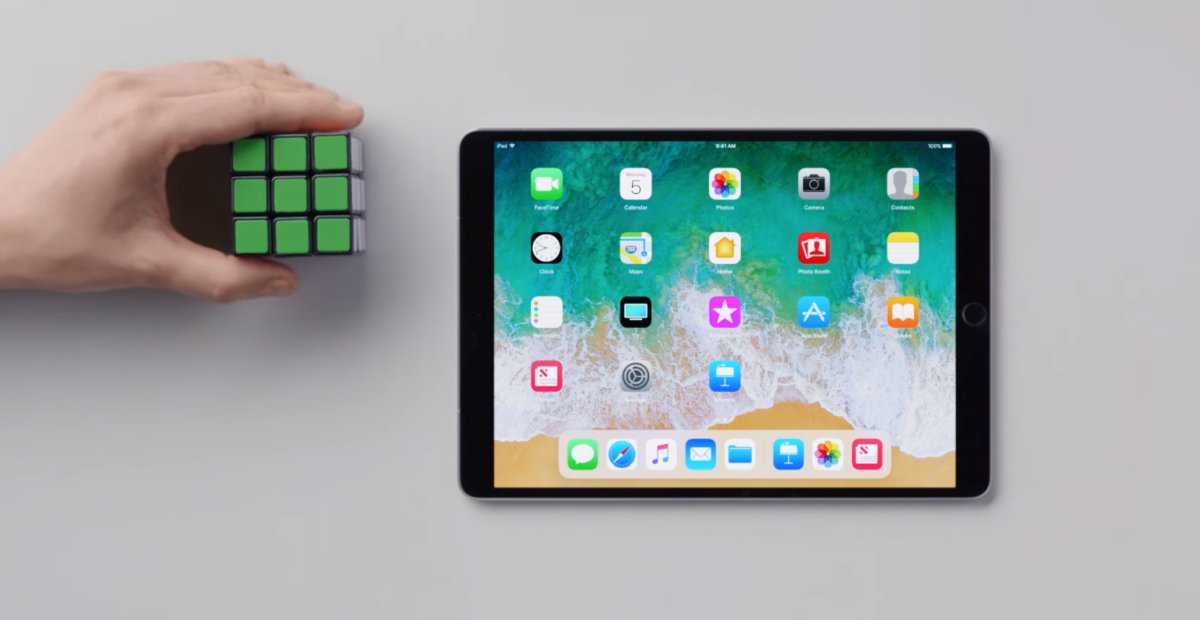
Apple’s popular iPad is gettings its biggest update yet with the release of iOS 11 later this year. The latest version will bring more productivity features which could turn the iPad closer to a laptop replacement device.

To demonstrate its new features, Apple has released a series of short videos to show you how it’s done. Watch them all after the break.

To find out what’s new with iOS 11, you can check out our iPad feature list here. Can’t wait to try it today? You can install iOS 11 Public Beta on your device by following the instructions here. Since it is beta, it can get really buggy so do proceed only if you know what you are getting yourself into.

Tags: AppleiOS 11iOS 11 ipadiOS 11 iPad FeaturesiOS 11 multi-taskingiPadiPad Promulti-tasking
Alexander Wong

Alexander Wong

POPULAR

sooka’s Gilerrr Streaming Challenge Draws 273 Participants, Clinches Malaysia Book of Records Title

December 5, 2025

JPJePlate: Is the Malaysian flag printed wrongly on EV plates?

December 12, 2025

Apple shows what you can do with iOS 11 on the iPad

August 18, 2017

U Mobile Unbeatable Phone Sale: Travel with FREE Global Roaming Across 60+ Destinations

December 10, 2025

Perodua Traz: B-segment SUV with 1.5L engine and 471L boot, priced from RM76,100

December 17, 2025

BOMBA investigating fire involving two EVs parked at home

December 19, 2025

Copyright © 2025 · SoyaCincau.com
Mind Blow Sdn Bhd (1076827-P)

  • ADVERTISE
  • DISCLAIMER

Copyright © 2025 · SoyaCincau.com – Mind Blow Sdn Bhd (1076827-P)

  • ADVERTISE
  • DISCLAIMER