• 中文版
  • BM
  • News
  • Deals
  • Reviews
    • First Impressions
    • Hands-on
    • Comparisons
  • Tech
    • Mobile
    • Computers
    • Cameras
    • Wearables
    • Audio
    • Drones
  • Telco
    • Celcom
    • Digi
    • Maxis
    • Time
    • Tune Talk
    • U Mobile
    • Unifi
    • Yes
  • Cars
  • Contribute
  • Jobs
Menu
  • 中文版
  • BM
  • News
  • Deals
  • Reviews
    • First Impressions
    • Hands-on
    • Comparisons
  • Tech
    • Mobile
    • Computers
    • Cameras
    • Wearables
    • Audio
    • Drones
  • Telco
    • Celcom
    • Digi
    • Maxis
    • Time
    • Tune Talk
    • U Mobile
    • Unifi
    • Yes
  • Cars
  • Contribute
  • Jobs
Search
  • Tech
    • News
    • Mobile
    • Computers
    • Cameras
    • Wearables
    • Audio
    • Drones
  • Telco
    • Celcom
    • Digi
    • Maxis
    • Time
    • U Mobile
    • Unifi
    • Yes
  • Reviews
    • First Impressions
    • Hands-on
    • Comparisons
  • Buyer’s Guide
  • Opinions
  • Digital Life
  • Video
  • Deals
  • How-To
  • Cars
  • Bahasa Melayu
  • EV
  • Contribute
  • Advertise
Menu
  • Tech
    • News
    • Mobile
    • Computers
    • Cameras
    • Wearables
    • Audio
    • Drones
  • Telco
    • Celcom
    • Digi
    • Maxis
    • Time
    • U Mobile
    • Unifi
    • Yes
  • Reviews
    • First Impressions
    • Hands-on
    • Comparisons
  • Buyer’s Guide
  • Opinions
  • Digital Life
  • Video
  • Deals
  • How-To
  • Cars
  • Bahasa Melayu
  • EV
  • Contribute
  • Advertise
Search
Close
Home News

Konami code your lock screen, if you own an S6

  • BY Sirap Bandung
  • 13 April 2015
  • 12:44 pm
  • Comment
Share on FacebookShare on Twitter

150413-samsung-galaxy-s6-direction-lock

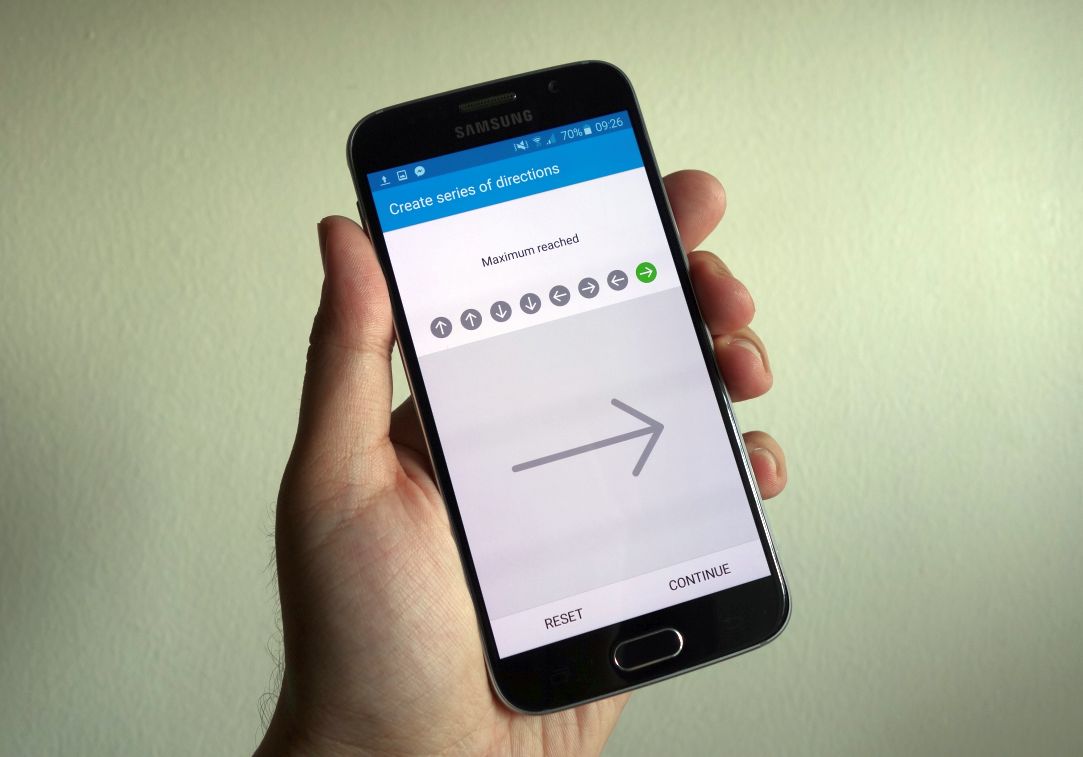
If Samsung’s fingerprint scanner on the Samsung Galaxy S6 and S6 edge isn’t your thing, then you have just been given the option to employ the Konami code (or any of your favourite swiping motions – up, down, left, right) as a means to unlock your device.

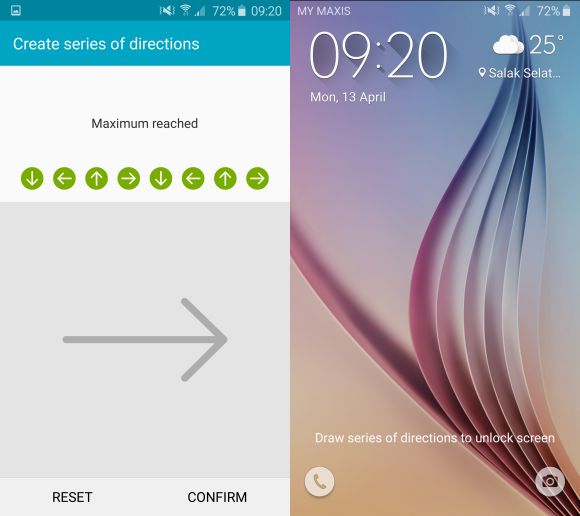
The new security feature is called Direction Lock, and it lets you swipe from four to eight times to unlock your phone. It’s pretty convenient (and not to mention, kinda fun) way to keep your phone locked as well as making it a bit more difficult to accidentally unlock in your pocket. But we have heard that the new addition still has it’s kinks, as it’s still slower than fingerprint unlock mode and LG’s Knock Code.
150413-samsung-galaxy-s6-direction-lock-3

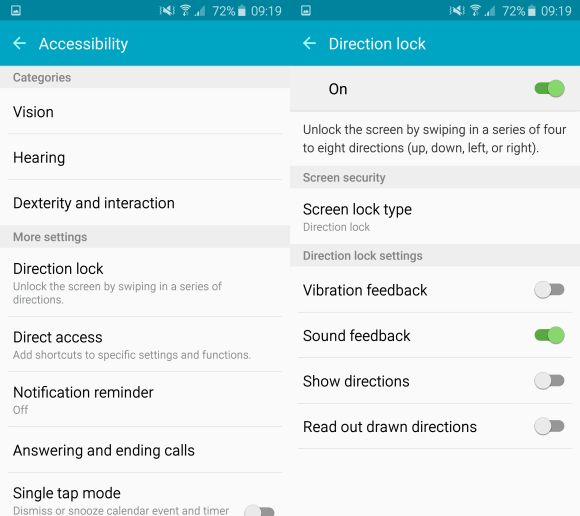
You can access the Direction Lock from the Settings >> Accessibility menu on both your Galaxy S6 and S6 edge, followed by a quick setup to get it going. And don’t worry if you forgot your code after you’ve inputted it, there’s a backup pin in-case you forgot! It’s something most S6 and S6 edge users should try at least once, after all who wouldn’t like to karate their phone open with those fighting game moves.
150413-samsung-galaxy-s6-direction-lock-2

Samsung Galaxy S6 Direction Lock Video

[SOURCE]

Tags: Androiddirection lockSamsungSamsung Galaxy S6Samsung Galaxy S6 EdgeSamsung Galaxy S6 edge MalaysiaSamsung Galaxy S6 Malaysia
Sirap Bandung

Sirap Bandung

[email protected]

POPULAR

Konami code your lock screen, if you own an S6

April 13, 2015
BYD Tech Discovery KL

MITI’s CBU EV ruling will wipe out current EV lineup from BYD, iCaur, Mini, Smart, Toyota, and more

May 7, 2026
Proton Saga Cross AMA02 by Theottle

Proton Saga Cross AMA02 to begin production in October?

May 4, 2026

YouTube Premium Lite now in Malaysia: Ad-free viewing from RM12.90/month

May 4, 2026

MITI increases minimum CBU EV price to RM300K? Imported EVs with 240hp and below not allowed?

May 6, 2026

RM32 Per Line with 1TB Shared Data? Inside U Mobile’s New ULTRA Family Suite

May 7, 2026

Copyright © 2025 · SoyaCincau.com
Mind Blow Sdn Bhd (1076827-P)

  • ADVERTISE
  • DISCLAIMER

Copyright © 2026 · SoyaCincau.com – Mind Blow Sdn Bhd (1076827-P)

  • ADVERTISE
  • DISCLAIMER