• 中文版
  • BM
  • News
  • Deals
  • Reviews
    • First Impressions
    • Hands-on
    • Comparisons
  • Tech
    • Mobile
    • Computers
    • Cameras
    • Wearables
    • Audio
    • Drones
  • Telco
    • Celcom
    • Digi
    • Maxis
    • Time
    • Tune Talk
    • U Mobile
    • Unifi
    • Yes
  • Cars
  • Contribute
  • Jobs
Menu
  • 中文版
  • BM
  • News
  • Deals
  • Reviews
    • First Impressions
    • Hands-on
    • Comparisons
  • Tech
    • Mobile
    • Computers
    • Cameras
    • Wearables
    • Audio
    • Drones
  • Telco
    • Celcom
    • Digi
    • Maxis
    • Time
    • Tune Talk
    • U Mobile
    • Unifi
    • Yes
  • Cars
  • Contribute
  • Jobs
Search
  • Tech
    • News
    • Mobile
    • Computers
    • Cameras
    • Wearables
    • Audio
    • Drones
  • Telco
    • Celcom
    • Digi
    • Maxis
    • Time
    • U Mobile
    • Unifi
    • Yes
  • Reviews
    • First Impressions
    • Hands-on
    • Comparisons
  • Buyer’s Guide
  • Opinions
  • Digital Life
  • Video
  • Deals
  • How-To
  • Cars
  • Bahasa Melayu
  • EV
  • Contribute
  • Advertise
Menu
  • Tech
    • News
    • Mobile
    • Computers
    • Cameras
    • Wearables
    • Audio
    • Drones
  • Telco
    • Celcom
    • Digi
    • Maxis
    • Time
    • U Mobile
    • Unifi
    • Yes
  • Reviews
    • First Impressions
    • Hands-on
    • Comparisons
  • Buyer’s Guide
  • Opinions
  • Digital Life
  • Video
  • Deals
  • How-To
  • Cars
  • Bahasa Melayu
  • EV
  • Contribute
  • Advertise
Search
Close
Home Digital Life

Now you can use WhatsApp on your Chrome Desktop Browser

  • BY soyacincau
  • 22 January 2015
  • 7:58 am
  • Comment
Share on FacebookShare on Twitter

150122-whatsapp-web-chrome-1

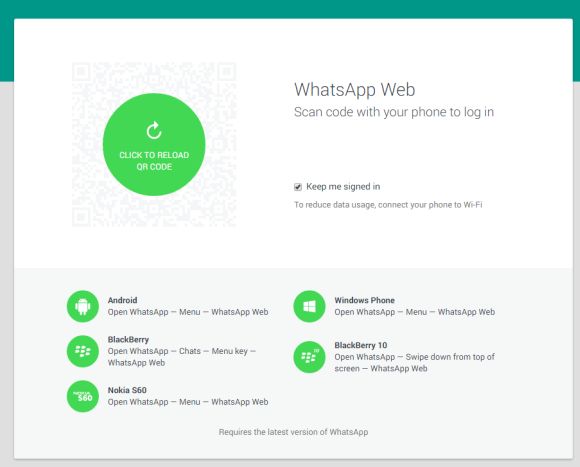
WhatsApp Web is now live and ready to use on your desktop computer. This is made possible on Chrome and setting it up is as easy as scanning a QR code from your mobile device. In terms of availability, it currently works on Android, Windows Phone, Blackberry, BlackBerry 10 and Nokia S60. Sorry iPhone users, it isn’t available due to platform limitation.

For this to work, make sure you’re having the latest WhatsApp version (Android: 2.11.498) and you’ll find a new “WhatsApp Web” option in the menu. If it doesn’t show up, it might take a while or you can try restarting your phone.
150122-whatsapp-web-chrome-2

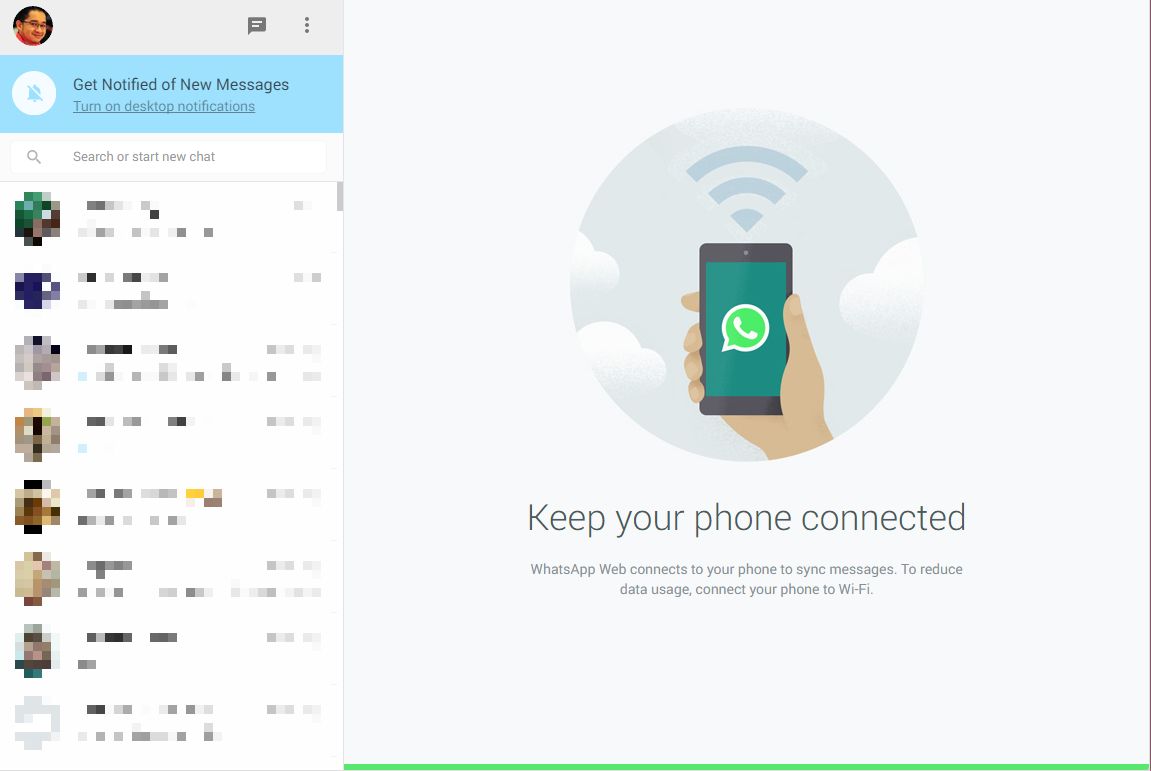
Once that’s done, just load up web.whatsapp.com on Chrome and scan the QR code from WhatsApp. This should just take a couple of seconds depending on connection to show your current Chats on the browser.
150122-whatsapp-web-chrome-4

Unlike other desktop instant messengers, WhatsApp Web requires constant connection on your smart phone to work. It appears that it syncs your chat history and sends out messages through your device. If your phone loses connection, WhatsApp for Web will prompt that connection has been lost. Like the smart phone app, there are notification alerts and you have the option to turn them off completely.

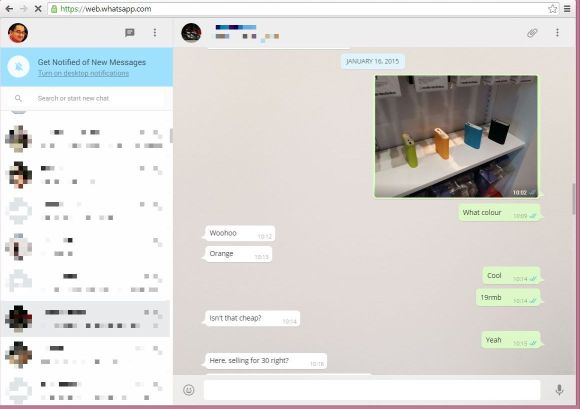
From the web browser, you could view photos and videos from your chat conversations. Meanwhile, you’re also able to send photos from your desktop files or take a picture using your web cam. So for those working constantly on their desktops, WhatsApp for Web is an easier way of replying and reading messages without being caught staring at your phone all the time.
150122-whatsapp-web-chrome-3

[ SOURCE, VIA ]

Tags: Instant MessagingWhatsappWhatsApp DesktopWhatsApp on DesktopWhatsApp WebWhatsApp Web Official
soyacincau

soyacincau

POPULAR

Malaysia’s first 5g advanced Broadband: What You Get for RM68/month

January 14, 2026

Nissan Finally Gives the Serena a Real Hybrid Powertrain in Malaysia. Estimated from RM160k to RM180k

January 16, 2026

Neta V now available for only RM40k, but with a limited 6-month warranty

January 31, 2026

Now you can use WhatsApp on your Chrome Desktop Browser

January 22, 2015

Perodua QV-E only costs RM1.4k to maintain for 5 years, cheaper than Axia

January 30, 2026

CelcomDigi updates 5G prepaid plan for 2026, no more 28 day validity for “unlimited” options

January 28, 2026

Copyright © 2025 · SoyaCincau.com
Mind Blow Sdn Bhd (1076827-P)

  • ADVERTISE
  • DISCLAIMER

Copyright © 2026 · SoyaCincau.com – Mind Blow Sdn Bhd (1076827-P)

  • ADVERTISE
  • DISCLAIMER