• 中文版
  • BM
  • News
  • Deals
  • Reviews
    • First Impressions
    • Hands-on
    • Comparisons
  • Tech
    • Mobile
    • Computers
    • Cameras
    • Wearables
    • Audio
    • Drones
  • Telco
    • Celcom
    • Digi
    • Maxis
    • Time
    • Tune Talk
    • U Mobile
    • Unifi
    • Yes
  • Cars
  • Contribute
  • Jobs
Menu
  • 中文版
  • BM
  • News
  • Deals
  • Reviews
    • First Impressions
    • Hands-on
    • Comparisons
  • Tech
    • Mobile
    • Computers
    • Cameras
    • Wearables
    • Audio
    • Drones
  • Telco
    • Celcom
    • Digi
    • Maxis
    • Time
    • Tune Talk
    • U Mobile
    • Unifi
    • Yes
  • Cars
  • Contribute
  • Jobs
Search
  • Tech
    • News
    • Mobile
    • Computers
    • Cameras
    • Wearables
    • Audio
    • Drones
  • Telco
    • Celcom
    • Digi
    • Maxis
    • Time
    • U Mobile
    • Unifi
    • Yes
  • Reviews
    • First Impressions
    • Hands-on
    • Comparisons
  • Buyer’s Guide
  • Opinions
  • Digital Life
  • Video
  • Deals
  • How-To
  • Cars
  • Bahasa Melayu
  • EV
  • Contribute
  • Advertise
Menu
  • Tech
    • News
    • Mobile
    • Computers
    • Cameras
    • Wearables
    • Audio
    • Drones
  • Telco
    • Celcom
    • Digi
    • Maxis
    • Time
    • U Mobile
    • Unifi
    • Yes
  • Reviews
    • First Impressions
    • Hands-on
    • Comparisons
  • Buyer’s Guide
  • Opinions
  • Digital Life
  • Video
  • Deals
  • How-To
  • Cars
  • Bahasa Melayu
  • EV
  • Contribute
  • Advertise
Search
Close
Home Digital Life

Soon you might be able to use WhatsApp on your desktop web browser

  • BY soyacincau
  • 16 December 2014
  • 11:24 am
  • Comment
Share on FacebookShare on Twitter

141216-whatsapp-for-web-application

UPDATE: WhatsApp Web is now officially available. Learn how to activate it here.

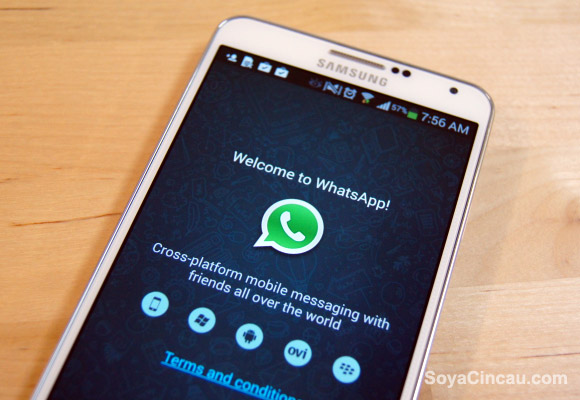
While working on a computer, one can get easily distracted by their mobile phones with constant message alerts from WhatsApp. That could be a thing of a past as WhatsApp appears to be working on a web based WhatsApp app, making it possible to read and reply to chat messages on your desktop computer.

According to the source, it could be called simply as WhatsApp Web. A quick check at http://web.whatsapp.com shows that it has been password protected but strangely with Google’s authentication. This is quite surprising considering WhatsApp was acquired by Facebook.

So how is a web version possible since WhatsApp identifies you solely by your mobile number without passwords? Apparently it uses QR code where you’ll need to scan it from the WhatsApp web screen using your mobile phone. So far there’s no word on its exact availability and this is definitely a must have feature for the office folks.


[ SOURCE, VIA ]

Tags: Instant MessagingWhatsappWhatsApp DesktopWhatsApp on DesktopWhatsApp Web
soyacincau

soyacincau

POPULAR

Soon you might be able to use WhatsApp on your desktop web browser

December 16, 2014

How Do You Want to Pay for Your iPhone 18 Pro? 3 Ways to Get More Value

September 18, 2026

The Foldable Paradox: Why the “Best” Phone Depends Entirely on Your Routine

September 14, 2026

Proton S70 i-GT 1.5 NA is now official: Priced from as low as RM56,800

September 22, 2026

Xiaomi 18 Pro series coming to Malaysia this year with Privacy Display, Snapdragon 8 Elite Gen 6

September 24, 2026

Maybank BTS World Tour Arirang debit card: Everything you need to know before applying

September 24, 2026

Copyright © 2026 · SoyaCincau.com
Mind Blow Sdn Bhd (1076827-P)

  • ADVERTISE
  • DISCLAIMER

Copyright © 2026 · SoyaCincau.com – Mind Blow Sdn Bhd (1076827-P)

  • ADVERTISE
  • DISCLAIMER