• 中文版
  • BM
  • News
  • Deals
  • Reviews
    • First Impressions
    • Hands-on
    • Comparisons
  • Tech
    • Mobile
    • Computers
    • Cameras
    • Wearables
    • Audio
    • Drones
  • Telco
    • Celcom
    • Digi
    • Maxis
    • Time
    • Tune Talk
    • U Mobile
    • Unifi
    • Yes
  • Cars
  • Contribute
  • Jobs
Menu
  • 中文版
  • BM
  • News
  • Deals
  • Reviews
    • First Impressions
    • Hands-on
    • Comparisons
  • Tech
    • Mobile
    • Computers
    • Cameras
    • Wearables
    • Audio
    • Drones
  • Telco
    • Celcom
    • Digi
    • Maxis
    • Time
    • Tune Talk
    • U Mobile
    • Unifi
    • Yes
  • Cars
  • Contribute
  • Jobs
Search
  • Tech
    • News
    • Mobile
    • Computers
    • Cameras
    • Wearables
    • Audio
    • Drones
  • Telco
    • Celcom
    • Digi
    • Maxis
    • Time
    • U Mobile
    • Unifi
    • Yes
  • Reviews
    • First Impressions
    • Hands-on
    • Comparisons
  • Buyer’s Guide
  • Opinions
  • Digital Life
  • Video
  • Deals
  • How-To
  • Cars
  • Bahasa Melayu
  • EV
  • Contribute
  • Advertise
Menu
  • Tech
    • News
    • Mobile
    • Computers
    • Cameras
    • Wearables
    • Audio
    • Drones
  • Telco
    • Celcom
    • Digi
    • Maxis
    • Time
    • U Mobile
    • Unifi
    • Yes
  • Reviews
    • First Impressions
    • Hands-on
    • Comparisons
  • Buyer’s Guide
  • Opinions
  • Digital Life
  • Video
  • Deals
  • How-To
  • Cars
  • Bahasa Melayu
  • EV
  • Contribute
  • Advertise
Search
Close
Home Digital Life

SwiftKey introduces Flow Hard. Swipe Input that you can use on your Laptop and Desktop Keyboards

  • BY soyacincau
  • 1 April 2014
  • 3:06 pm
  • Comment
Share on FacebookShare on Twitter

140401-swiftkey-flow-hard

Swipe input from Swype and Swiftkey is incredibly easy to use on a smart phone, offering faster input that the usual QWERTY typing. So far swiping is only limited to touch screens and desktop users seem to be left out. Not anymore.

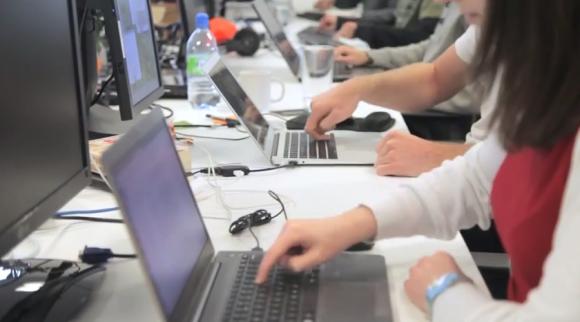
Today SwiftKey has introduced Flow Hard which brings Swipe input to your normal physical keyboards on your PC and Laptops. According to SwiftKey, Flow hard improves typing speed by 257% compared to conventional typing. According to one of their testers, he doesn’t need to bite his nails an ymore since prolonged Flow Hard typing wears out his finger nails.

This isn’t just a joke and SwiftKey has a working demo which you can try it over at their site. It works rather accurately like the actual Swiping input on your smart phone. This is yet another innovation from SwiftKey adding on to last year’s SwiftKey Tilt input.

Check out the SwiftKey Flow Hard video after the break.

[ SOURCE, VIA ]

Tags: april foolsFlow hardKeyboardSwiftKeySwiftKey Flow HardSwipe
soyacincau

soyacincau

POPULAR

SwiftKey introduces Flow Hard. Swipe Input that you can use on your Laptop and Desktop Keyboards

April 1, 2014

Malaysia to review EV policy amid concerns over strict rules affecting BYD CKD operations in Tanjung Malim

April 17, 2026
TQ Wuling Bingo EV Malaysia

TQ Wuling Bingo is now available for rental in Malaysia via GoEV

April 14, 2026

Malaysia’s EV charging network is still broken? Raya trip almost turns into a disaster | Let’s Talk About #139

April 15, 2026

Honor 600 series makes its debut in Malaysia on 22 April, featuring 200MP camera with AI Image to Video 2.0

April 13, 2026

Malaysia’s EV policy and the BYD debate: Are affordable EVs at risk? | Let’s Talk About #140

April 19, 2026

Copyright © 2025 · SoyaCincau.com
Mind Blow Sdn Bhd (1076827-P)

  • ADVERTISE
  • DISCLAIMER

Copyright © 2026 · SoyaCincau.com – Mind Blow Sdn Bhd (1076827-P)

  • ADVERTISE
  • DISCLAIMER