• 中文版
  • BM
  • News
  • Deals
  • Reviews
    • First Impressions
    • Hands-on
    • Comparisons
  • Tech
    • Mobile
    • Computers
    • Cameras
    • Wearables
    • Audio
    • Drones
  • Telco
    • Celcom
    • Digi
    • Maxis
    • Time
    • Tune Talk
    • U Mobile
    • Unifi
    • Yes
  • Cars
  • Contribute
  • Jobs
Menu
  • 中文版
  • BM
  • News
  • Deals
  • Reviews
    • First Impressions
    • Hands-on
    • Comparisons
  • Tech
    • Mobile
    • Computers
    • Cameras
    • Wearables
    • Audio
    • Drones
  • Telco
    • Celcom
    • Digi
    • Maxis
    • Time
    • Tune Talk
    • U Mobile
    • Unifi
    • Yes
  • Cars
  • Contribute
  • Jobs
Search
  • Tech
    • News
    • Mobile
    • Computers
    • Cameras
    • Wearables
    • Audio
    • Drones
  • Telco
    • Celcom
    • Digi
    • Maxis
    • Time
    • U Mobile
    • Unifi
    • Yes
  • Reviews
    • First Impressions
    • Hands-on
    • Comparisons
  • Buyer’s Guide
  • Opinions
  • Digital Life
  • Video
  • Deals
  • How-To
  • Cars
  • Bahasa Melayu
  • EV
  • Contribute
  • Advertise
Menu
  • Tech
    • News
    • Mobile
    • Computers
    • Cameras
    • Wearables
    • Audio
    • Drones
  • Telco
    • Celcom
    • Digi
    • Maxis
    • Time
    • U Mobile
    • Unifi
    • Yes
  • Reviews
    • First Impressions
    • Hands-on
    • Comparisons
  • Buyer’s Guide
  • Opinions
  • Digital Life
  • Video
  • Deals
  • How-To
  • Cars
  • Bahasa Melayu
  • EV
  • Contribute
  • Advertise
Search
Close
Home Digital Life

iOS: You can now make custom icons without using Shortcuts, but there’s a catch

  • BY Dzamira Dzafri
  • 21 October 2020
  • 10:36 am
  • Comment
Share on FacebookShare on Twitter

At a risk of sounding like a sheltered iOS user, I was excited when I found out that the iOS 14 update lets you make custom icons with other features with the Shortcuts app. But there is a huge downside to making your phone look like it came straight from a Ghibli movie with Shortcuts.

Pressing on custom icons made by the Shortcuts app will take you longer to get into the app itself. It will first bring you to Shortcuts for a second before rerouting to the app you want.

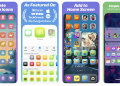
Enter Launch Center Pro—an app that can customise your icons without the need to suffer through what the Shortcuts app did. You can finally make custom icons that work just like regular apps.

Getting started on customising your icons with Launch Center Pro is slightly difficult, but you can refer to the video above for a tutorial. It also gives several options for its custom icons—you not only can upload your own pictures, but you can also create your own icons with glyphs, emojis and colours all through the app.

However, the big catch is that making your own icons on here won’t be free. You can download Launch Center Pro for free, and you’d get a 7 days free trial. But then you’d need to fork out RM67.90 a year for their subscription bundle, or RM149.90 for a lifetime bundle that permanently unlocks all current and future features.

According to developer David Barnard, the company is already working to add more functionality to make Launch Center Pro’s icon system work even better in the future. This includes the option to save multiple icon sets (so that users can easily swap between setups), the ability to share icon sets to other users, and faster import options.

Personally, I don’t feel like it’s worth paying money for. I’d rather suffer through the awful rerouting offered by the Shortcuts app, as long as I get to make my home screen icons look pretty for free. But let me know if this is worth it for you.

[ SOURCE, IMAGE SOURCE ]

Related reading

[UPDATED] iOS 14 with new home screen widgets and App Library is available to download on 17 September
Are iOS 14 widgets stealing your passwords?
Tags: appsiOSiOS appsLaunch Center ProShortcuts
Dzamira Dzafri

Dzamira Dzafri

POPULAR

iOS: You can now make custom icons without using Shortcuts, but there’s a catch

October 21, 2020

Small Steps, Daily Rewards: Exploring the Maybank Tabung Daily Bonus Campaign

May 28, 2026
Photo by Vitaly Gariev

Countdown to Kickoff: Unifi TV Brings All 104 FIFA World Cup 2026 Matches Live in HD

June 11, 2026

Zeekr X 2026 now open for booking in Malaysia, comes with automatic doors and built-in fridge

June 9, 2026

MyGOV app will stream FIFA World Cup 2026 matches for free

June 5, 2026

We’ve been accepting broken laptop designs for 20 years. Here’s what finally changed

June 9, 2026

Copyright © 2025 · SoyaCincau.com
Mind Blow Sdn Bhd (1076827-P)

  • ADVERTISE
  • DISCLAIMER

Copyright © 2026 · SoyaCincau.com – Mind Blow Sdn Bhd (1076827-P)

  • ADVERTISE
  • DISCLAIMER