It was a big day for the Mac at Apple’s annual WWDC as the tech giant revealed its latest operating system for its Mac computers.
It revealed the name as macOS Big Sur, named after the rugged stretch of California’s central coast between the town of Carmel and San Simeon.
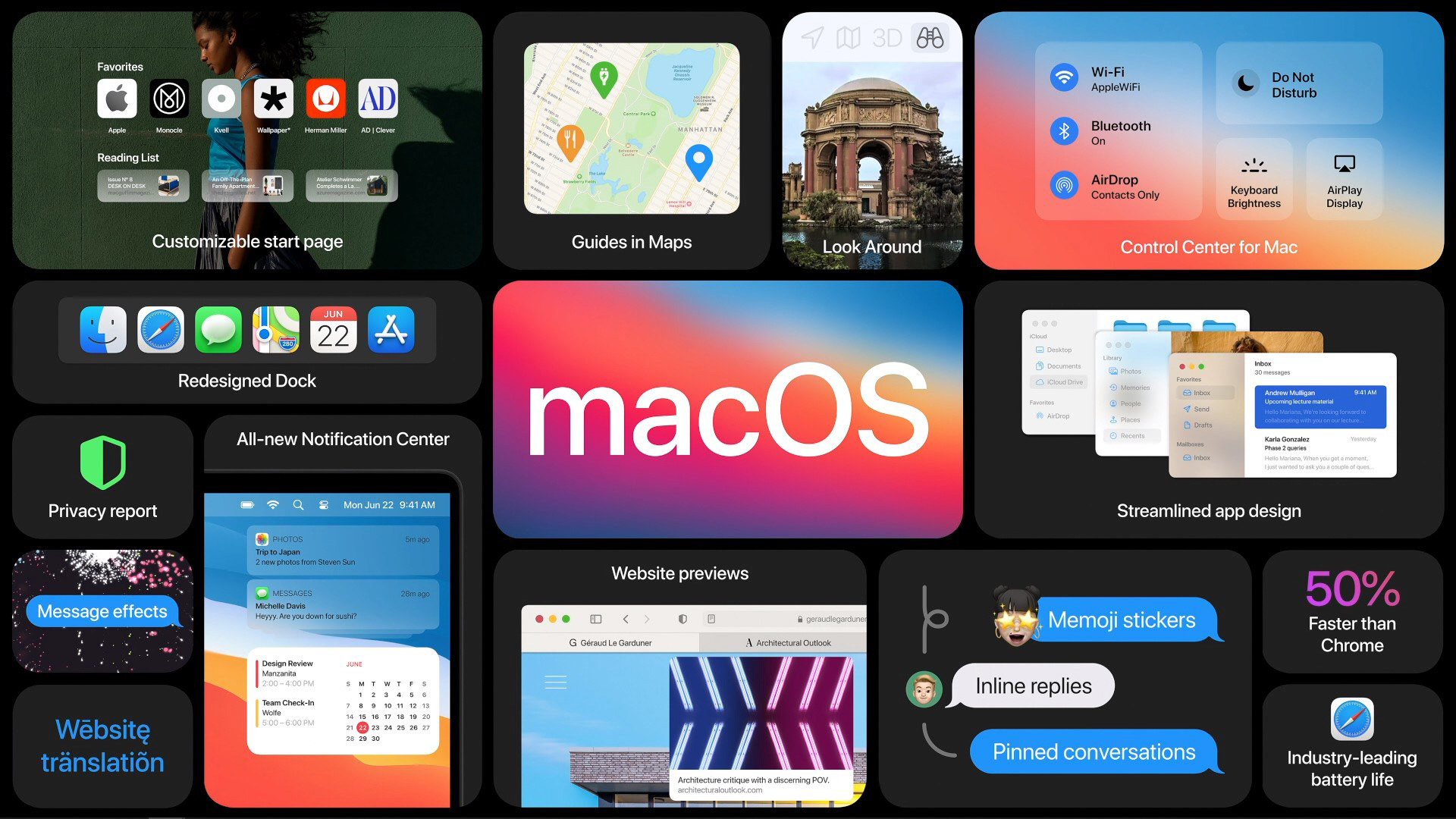
There is a whole list of updates for Big Sur, while not groundbreaking, the big redesign of the OS means that users will be getting plenty of exciting new features. Here are 7 of the most interesting features in macOS Big Sur you need to know about.
1. A Redesigned Operating System
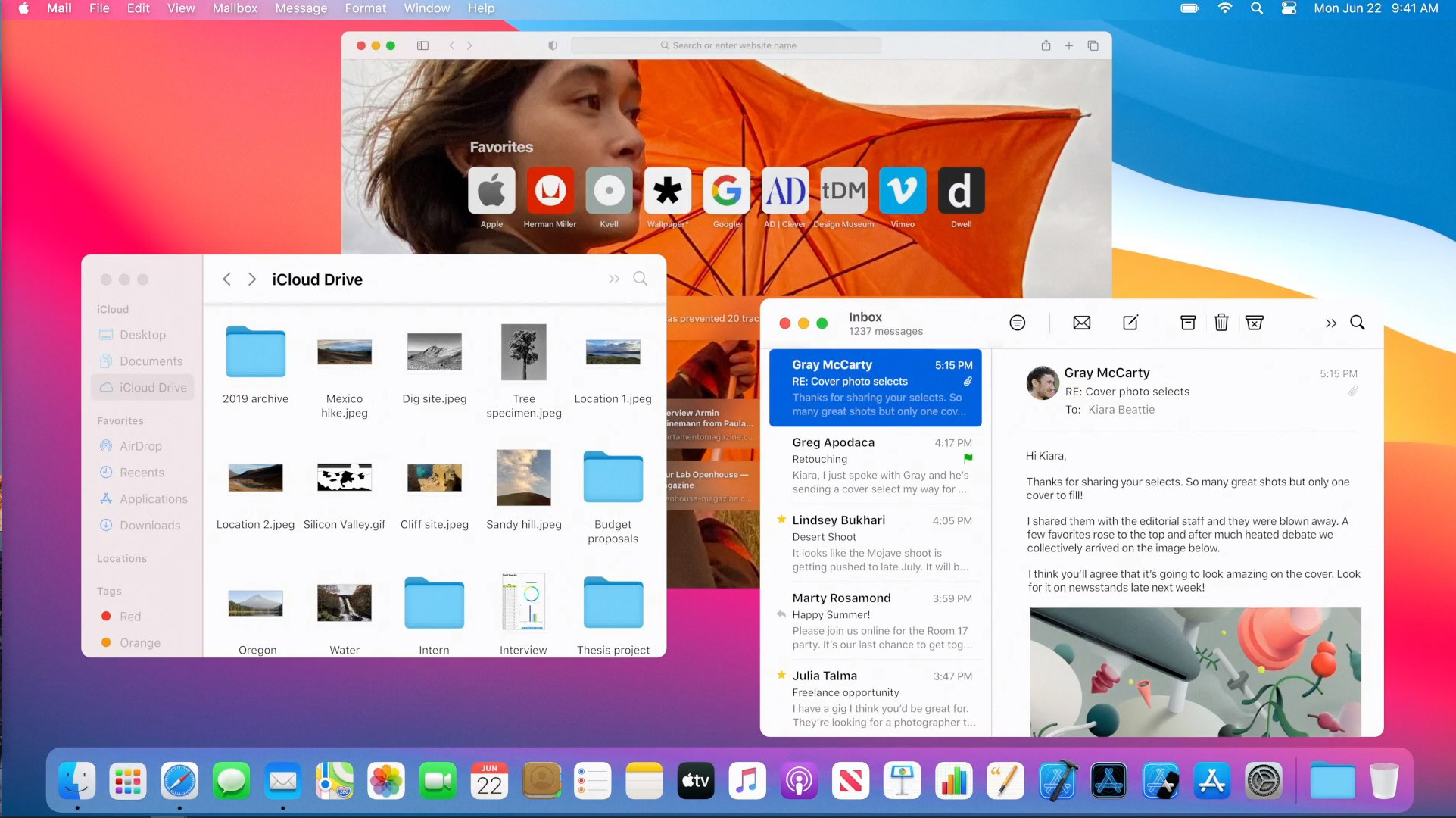
It was all about design consistency for Apple at this year’s WWDC. The latest macOS boasts a new design that makes navigation easier within the operating system. It is also putting more controls at the users’ fingertips.
Icons within the Dock are now designed to be more consistent with other icons across the Apple ecosystem including those used on the iPhone and iPad while remaining true to their Mac roots. Just like iPadOS, buttons and controls appear when needed and recede when they are not. It is a more focused, fresh and familiar experience visually for users as the content is brought front and centre.
There are other subtle changes to macOS with default apps like Mail, Calendar, Photos and iWork. Each has been given new simplified interfaces and enhanced with smoother animations.
2. A New Control Centre
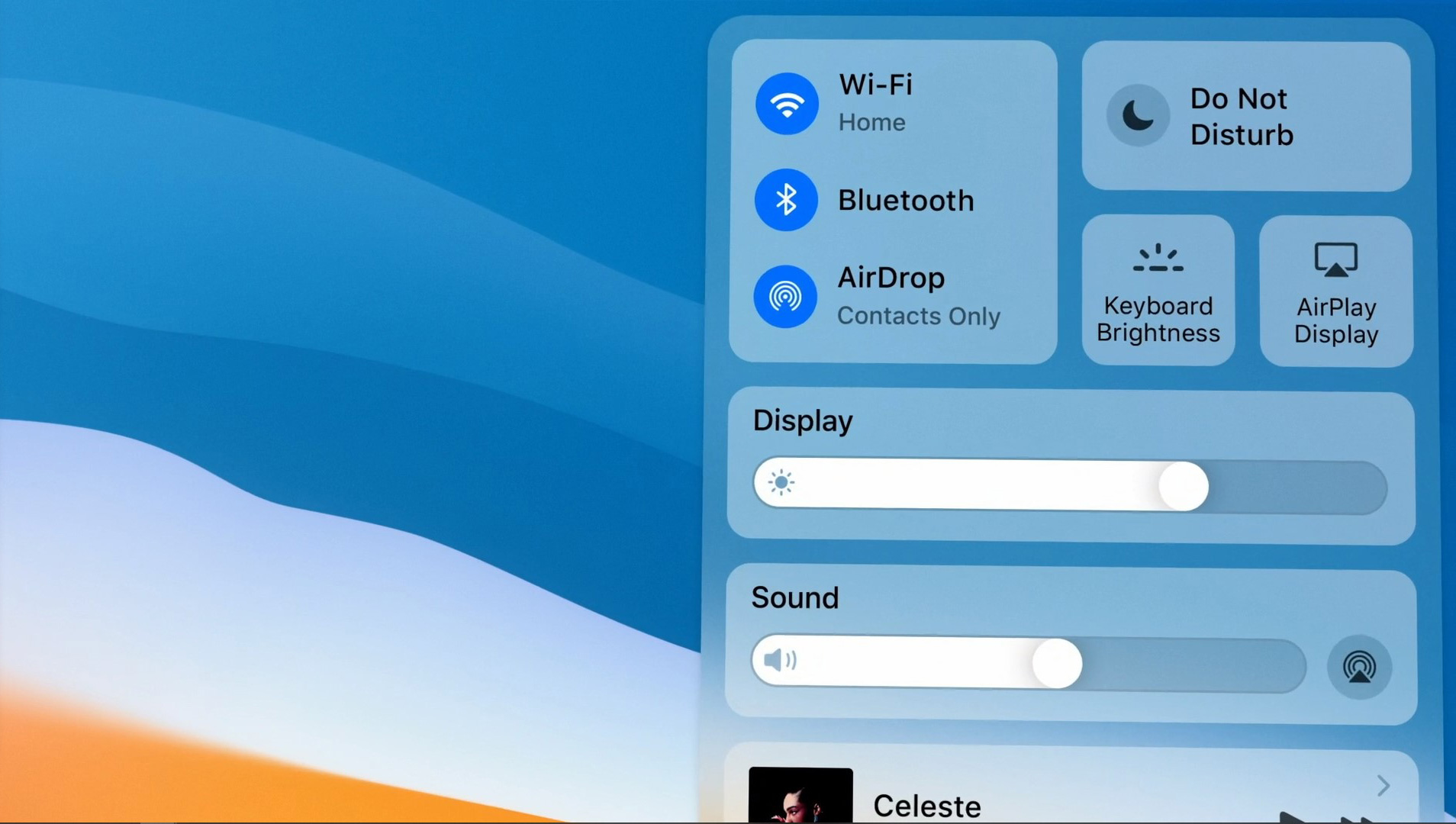
Apple introduced a new Control Centre on macOS that delivers quick access to controls from the desktop. It functions very similarly to iPadOS’ Control Centre where all the essential options to affect the system are brought together. Within the Control Centre, you can tweak your Mac’s display brightness settings, adjust the volume, turn on/off Do Not Disturb and toggle your WiFi connectivity. There is even an option to customise the menus further so you have everything as you like it.
3. New Notification Centre and Widgets
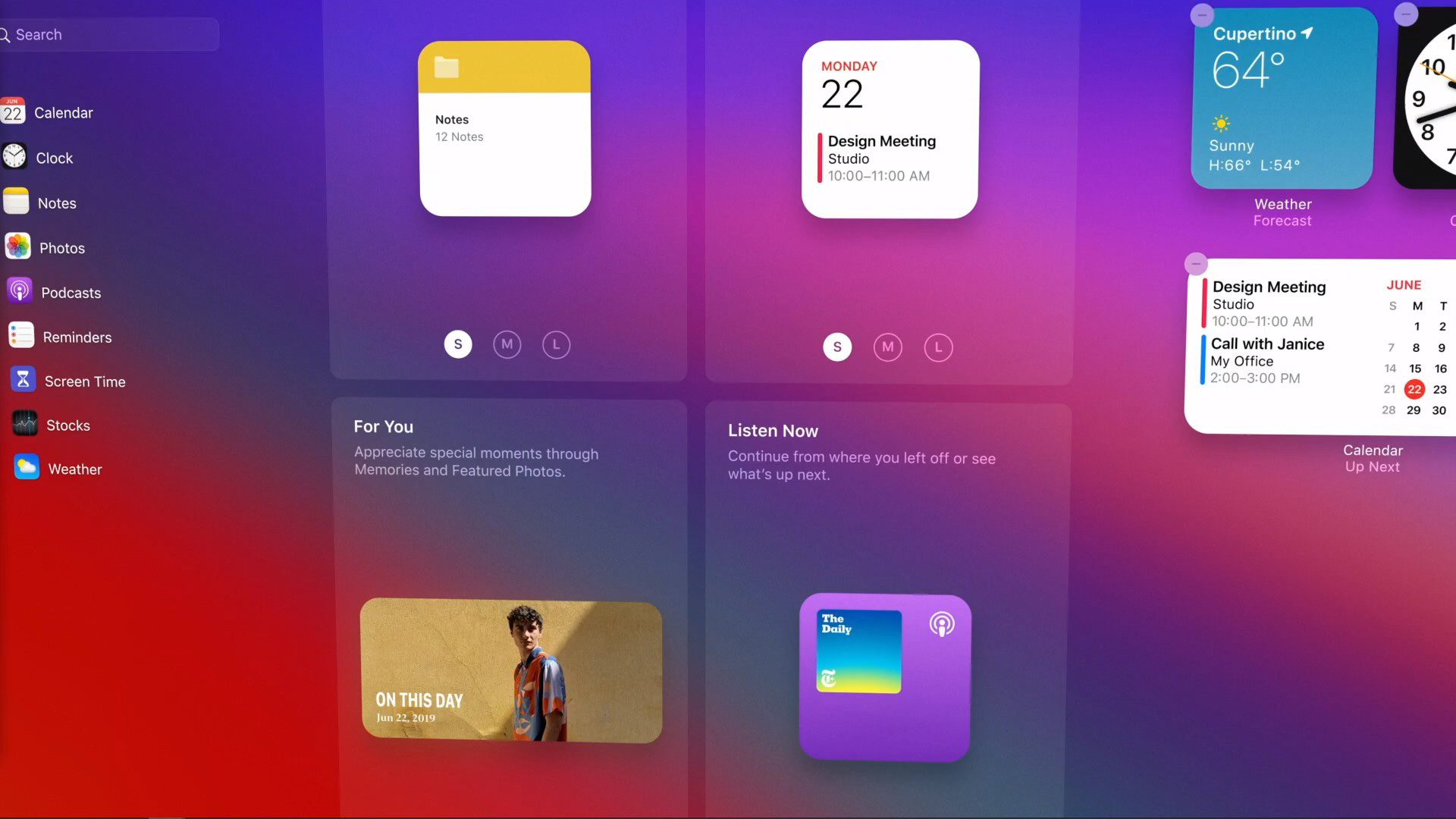
There is now a new interface for Notification Centre on the Mac that provides users with relevant information at a glance. Users can expand notifications as they would on iOS to get a clear look at group notifications or clear a bunch of them at once. includes more interactive notifications.
Widgets are now redesigned to be viewed within a gallery. Here users can group their favourite widgets, allowing them to access their favourite productivity widgets in one single click. For example, you can add the World Clock, Notes and your Reminders List together, so it all comes within reach when you open up the Notification Centre.
4. Enhanced Safari browser on the Mac
Safari will be getting a redesigned Tabs feature that makes navigation quicker and more efficient. Users can open more tabs and the icons will get smaller while keeping the rest of your tabs within view. Tabs now also offers users a quick preview of what’s on the web page by simply hovering the cursor over the tab.
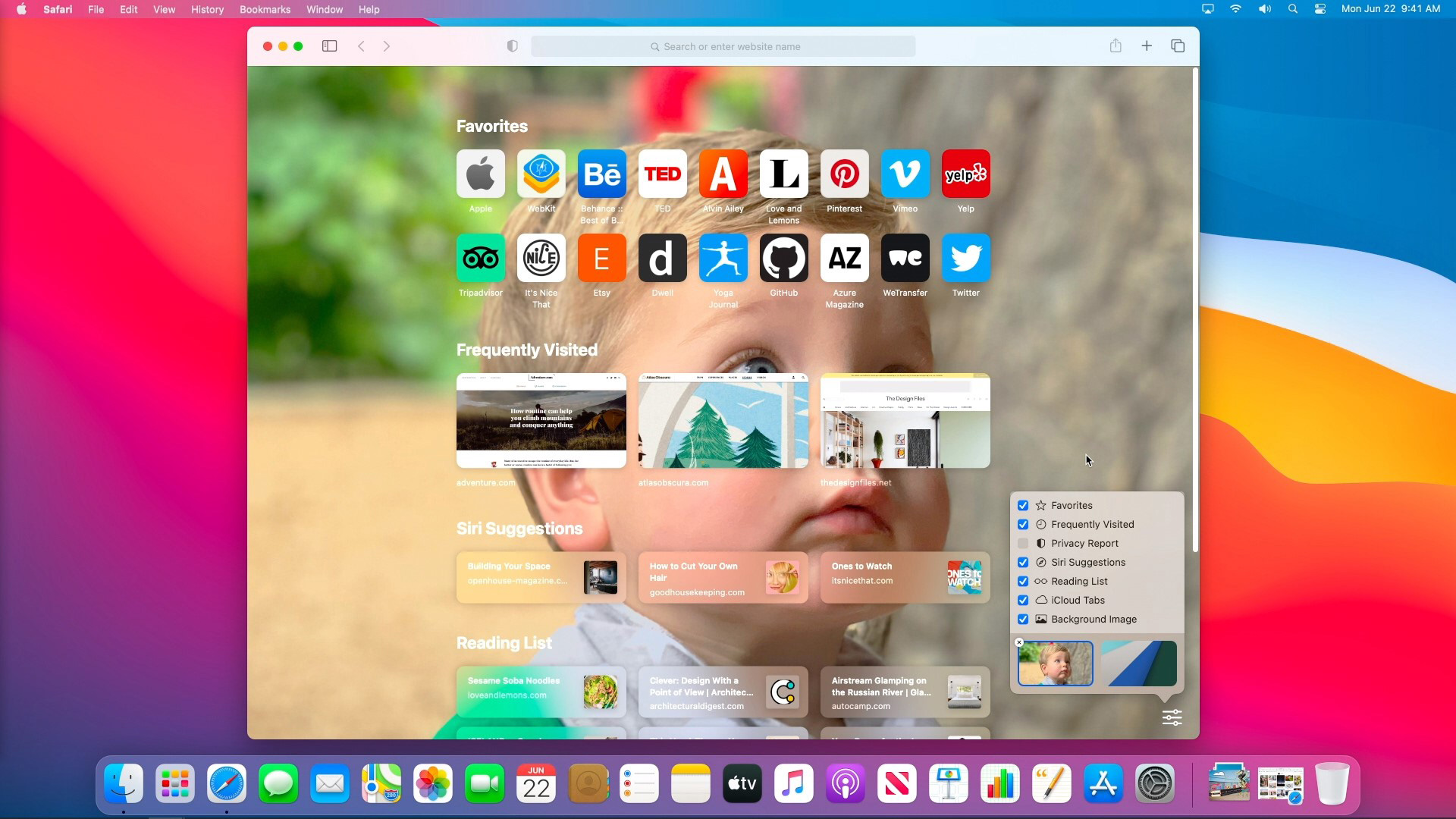
There is also a new customisable start page within Safari that lets you access links to your favourite websites, access Privacy Report a new feature that prevents unwanted websites from tracking you and your Reading List of favourite saved content from around the web.
Apple also introduced built-in translation for Safari where it can detect and translate entire web pages with just a click. The feature currently supports seven languages. The company said that Safari extensions can now be discovered on the Mac App Store under a new category that makes it easier to discover new ones.
5. An Updated Messages app
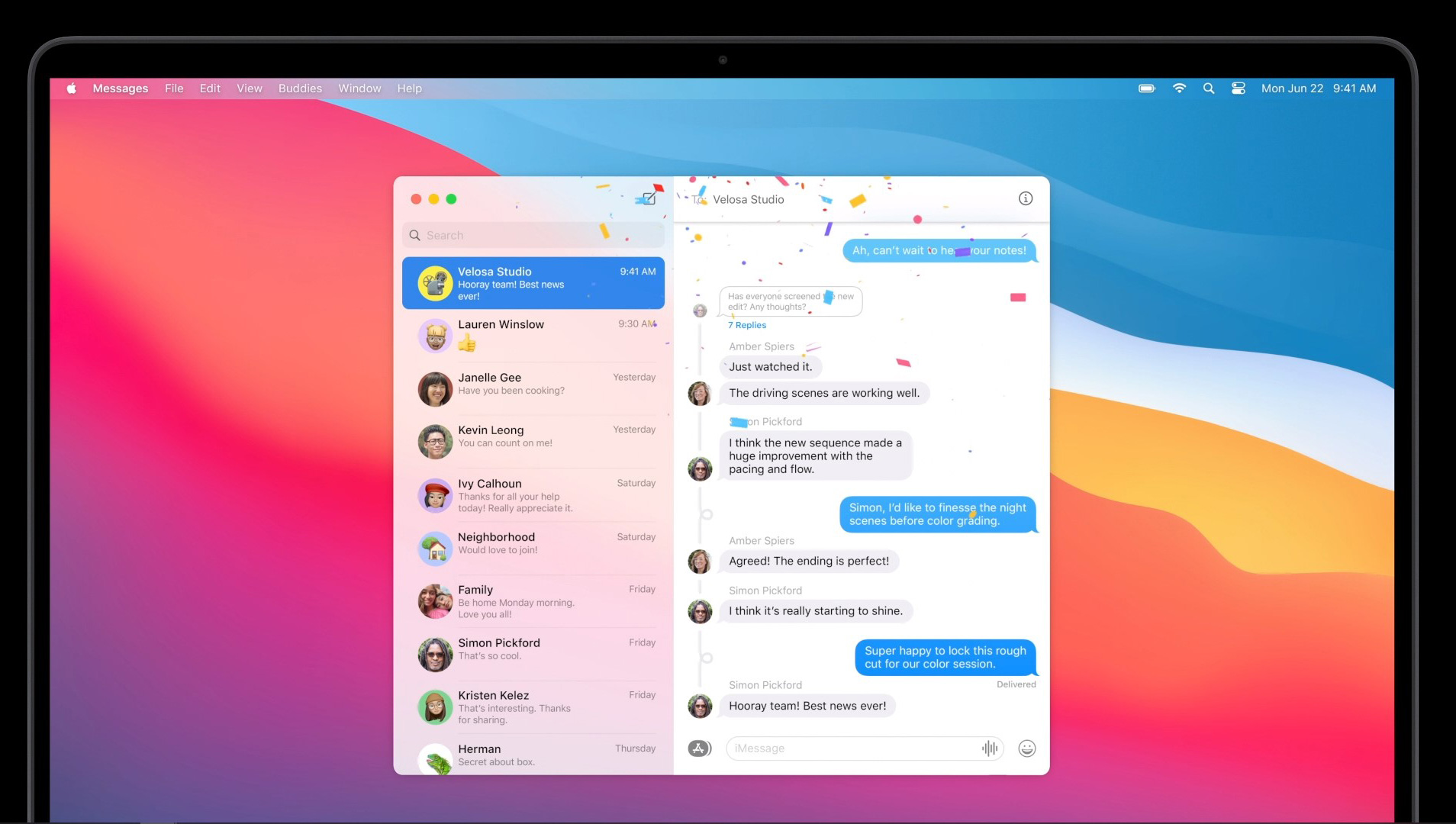
The Messages app on macOS now works seamlessly across different Apple devices. It offers a single unified interface where text messages and iMessages are all synced together. There is now a new search function that makes it easier to find content within past messages. Users can also pin their favourite conversations on top for quicker access. Plus there is a new photo picker feature that allows you to easily share images, GIFs and videos with contacts. Users are also able to create and customise their Memojis on the Mac and express themselves with stickers.
There is also a new group messaging feature that streamlines conversations. Inline replies allow you to respond directly to a message and direct message an individual within a group conversation by just typing their name. Also, you can set a photo or an emoji for group conversations that are shared with all members of the group.
6. Redesigned Maps
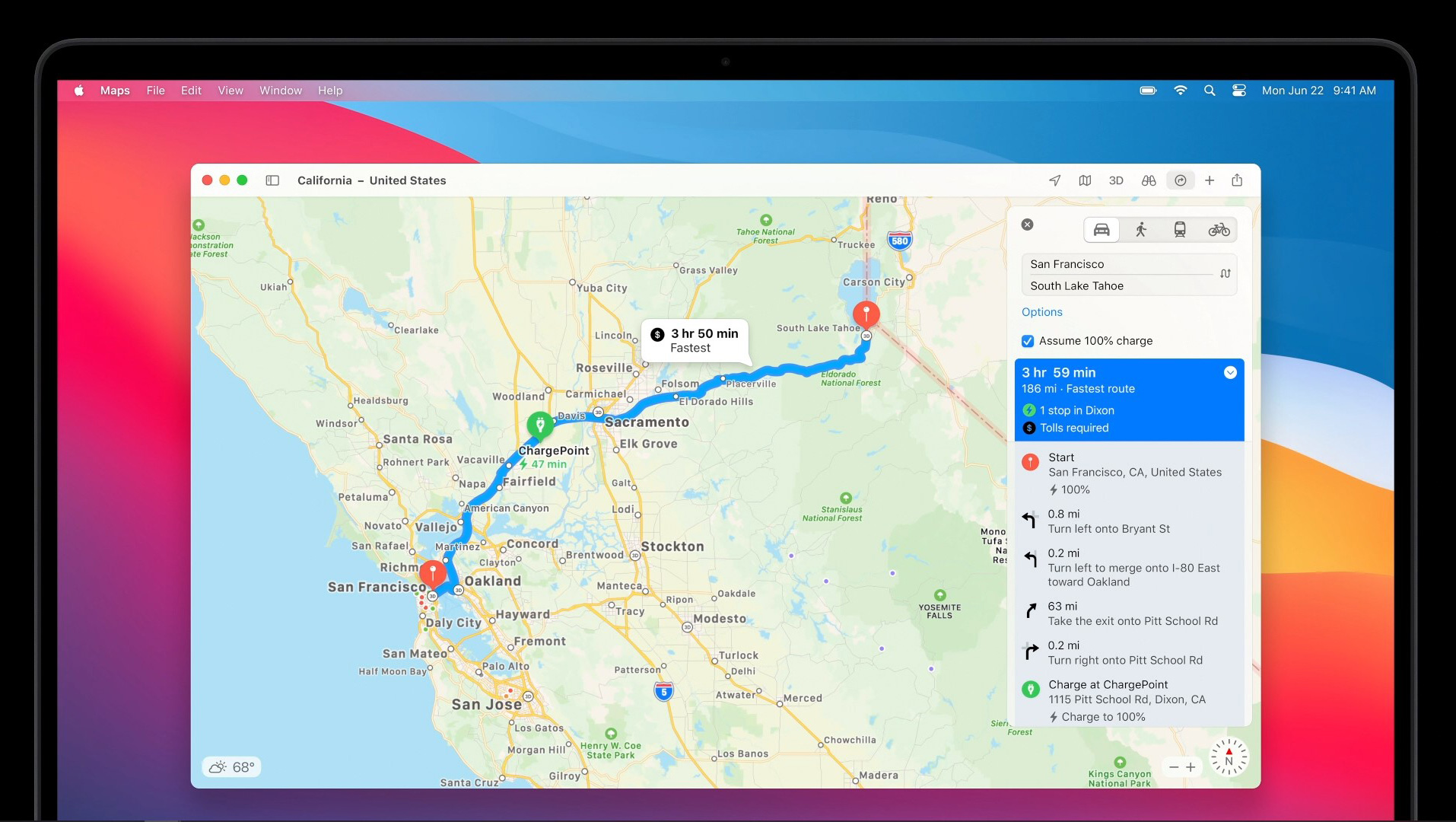
Apple has given Maps a fresh coat of paint by giving it a new design that makes it easier to find your way around. A new sidebar shows your favourite destinations like your home, office and favourite places. Explore your neighbourhood or city with Guides from trusted sources. Alternatively, you create your own custom guides of favourite restaurants, parks and vacation spots, then share them with friends and family.
The Look Around feature grants users a Street View-like 360-degree view of places on the Map. Adding to that, you can use Maps to view indoor maps of shopping malls and airports. Also, you can see a friend’s journey and their progress on Maps when they share their Estimated Time of Arrival with you.
7. Broadening the ecosystem of apps with Mac Catalyst
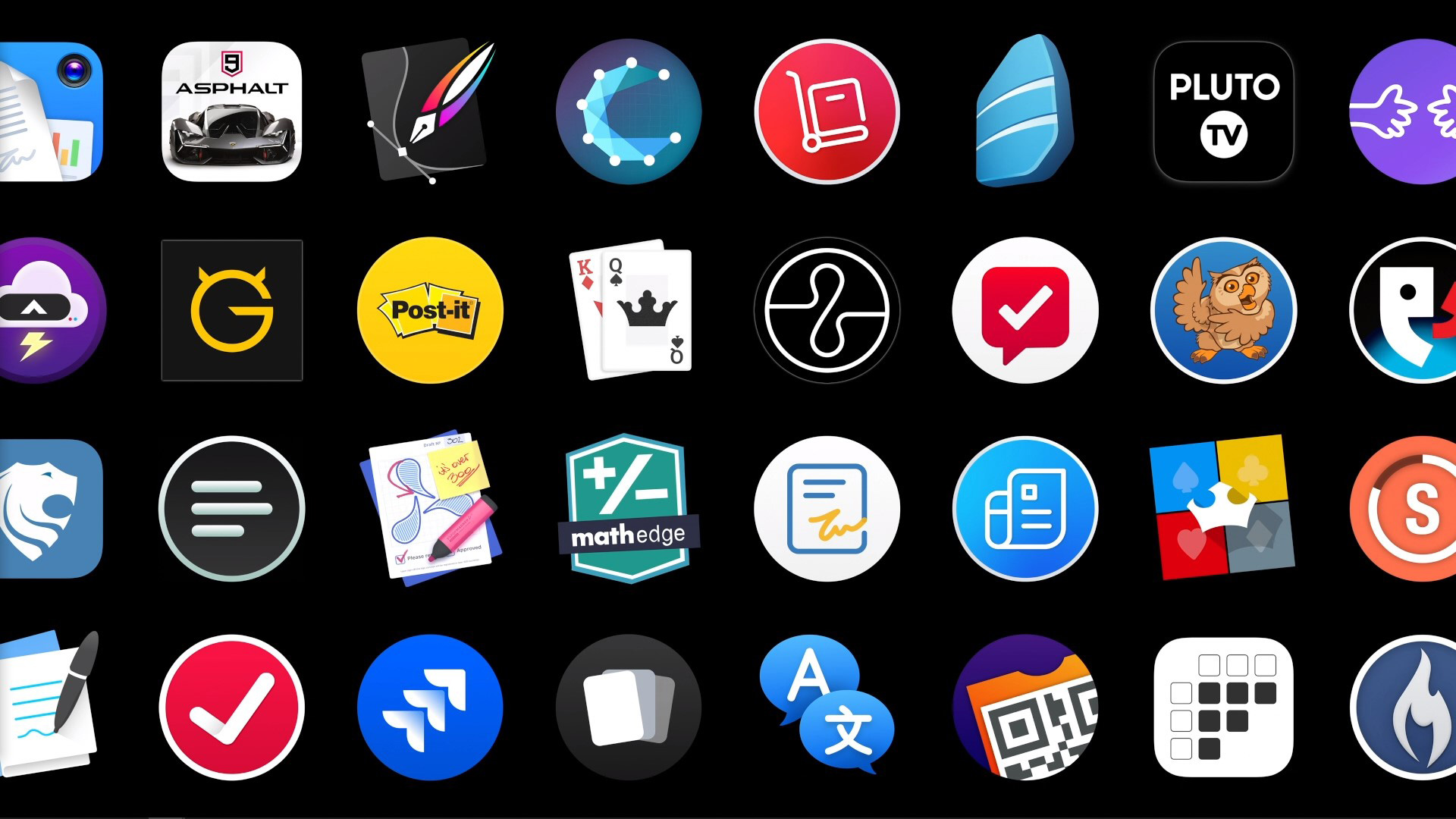
When Apple introduced Catalyst last year, it was to make it easier for developers to make build native Mac apps from iPad apps. This also allows developers to create more powerful versions of their apps and take advantage of them in a desktop operating environment. Converted iPad apps can be run in full native Mac resolution and be fully controlled with a mouse and keyboard.
Availability
Developers eager to get started with macOS Big Sur can already start on the developer beta at developer.apple.com today. Meanwhile the public beta for the OS will be available to Mac users next month at beta.apple.com. macOS Big Sur will be available this fall as a free software update.
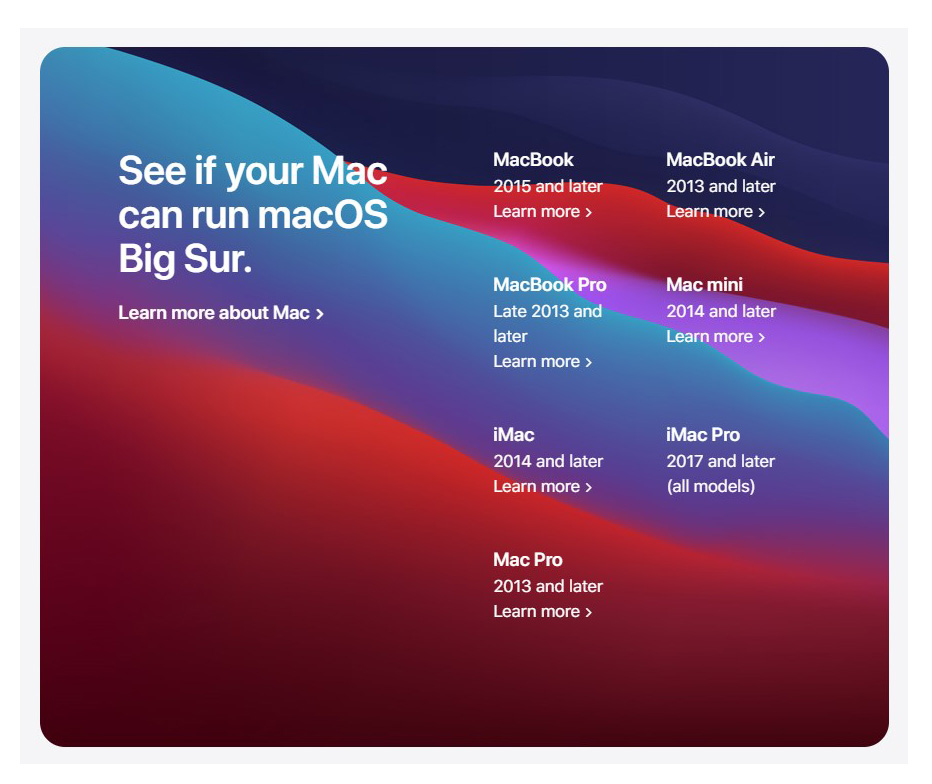
Is your computer ready for macOS Big Sur? Below is the full list of compatible devices.