• 中文版
  • BM
  • News
  • Deals
  • Reviews
    • First Impressions
    • Hands-on
    • Comparisons
  • Tech
    • Mobile
    • Computers
    • Cameras
    • Wearables
    • Audio
    • Drones
  • Telco
    • Celcom
    • Digi
    • Maxis
    • Time
    • Tune Talk
    • U Mobile
    • Unifi
    • Yes
  • Cars
  • Contribute
  • Jobs
Menu
  • 中文版
  • BM
  • News
  • Deals
  • Reviews
    • First Impressions
    • Hands-on
    • Comparisons
  • Tech
    • Mobile
    • Computers
    • Cameras
    • Wearables
    • Audio
    • Drones
  • Telco
    • Celcom
    • Digi
    • Maxis
    • Time
    • Tune Talk
    • U Mobile
    • Unifi
    • Yes
  • Cars
  • Contribute
  • Jobs
Search
  • Tech
    • News
    • Mobile
    • Computers
    • Cameras
    • Wearables
    • Audio
    • Drones
  • Telco
    • Celcom
    • Digi
    • Maxis
    • Time
    • U Mobile
    • Unifi
    • Yes
  • Reviews
    • First Impressions
    • Hands-on
    • Comparisons
  • Buyer’s Guide
  • Opinions
  • Digital Life
  • Video
  • Deals
  • How-To
  • Cars
  • Bahasa Melayu
  • EV
  • Contribute
  • Advertise
Menu
  • Tech
    • News
    • Mobile
    • Computers
    • Cameras
    • Wearables
    • Audio
    • Drones
  • Telco
    • Celcom
    • Digi
    • Maxis
    • Time
    • U Mobile
    • Unifi
    • Yes
  • Reviews
    • First Impressions
    • Hands-on
    • Comparisons
  • Buyer’s Guide
  • Opinions
  • Digital Life
  • Video
  • Deals
  • How-To
  • Cars
  • Bahasa Melayu
  • EV
  • Contribute
  • Advertise
Search
Close
Home Digital Life

You can finally trash all your old embarrassing Facebook posts at once

  • BY Dzamira Dzafri
  • 3 June 2020
  • 2:46 pm
  • Comment
Share on FacebookShare on Twitter

I’ve had my Facebook account since high school, so I can’t bare to think of what embarrassingly sad posts I have made back when I was a teenager. While I haven’t used my account as an emotional journal anymore, the history is still there. Luckily, Facebook has introduced a privacy control tool that can help me clean out my mess.

With “Manage Activity” you can:

  • Move posts you no longer want to the trash. Posts sent to the trash will stay there for 30 days before being deleted. You may also choose to manually delete or restore them before then. 
  • View and manage your posts in bulk. We’ve developed filters to help you sort and find what you’re looking for, like posts with specific people or from a specific date range. 

Manage Activity is now available on mobile though the Facebook app (iOS, Android). It’s not currently on desktop yet, but it is expected to be available in the future.

How to access the new feature
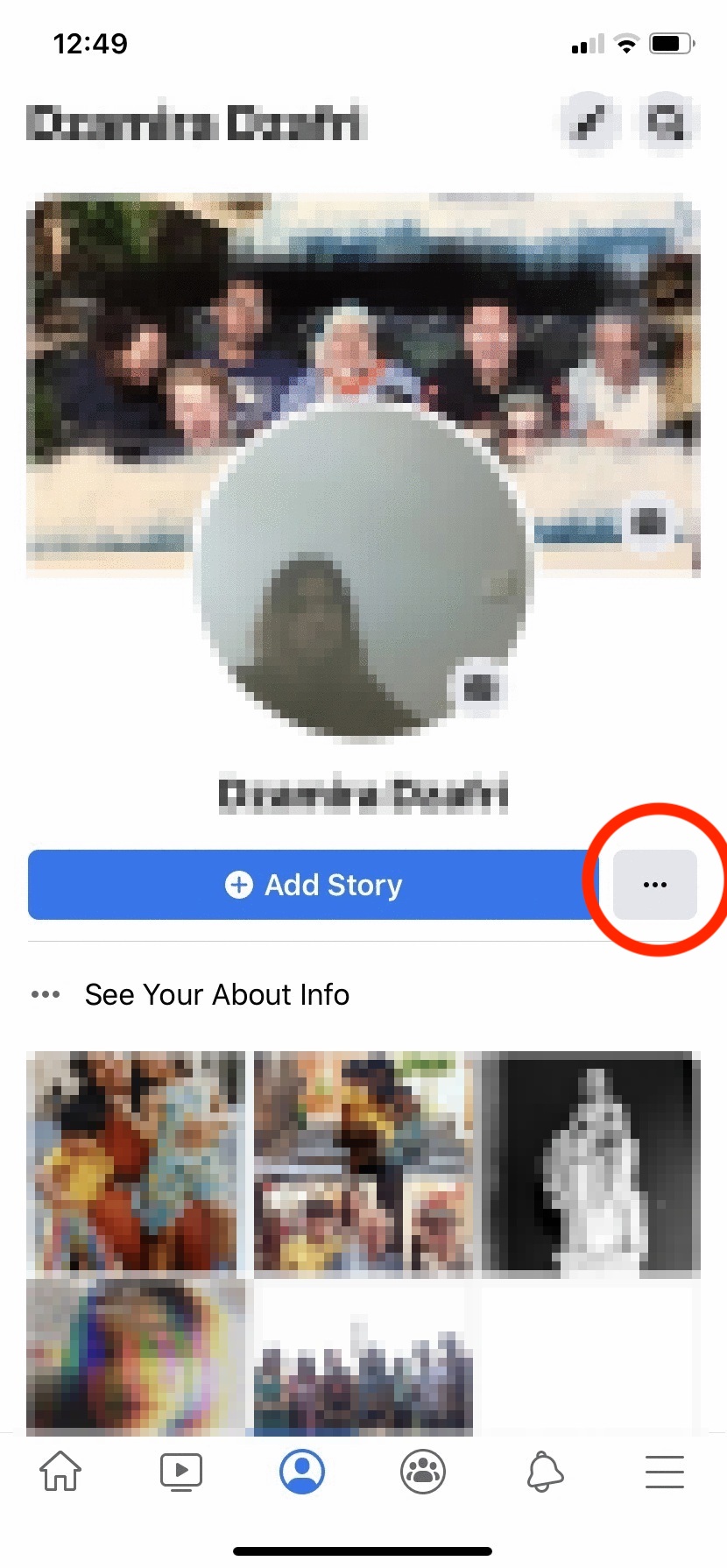
  • Visit your profile page in the Facebook app
  • Press on the three dot icon next to ‘Add Story’ (seen above)
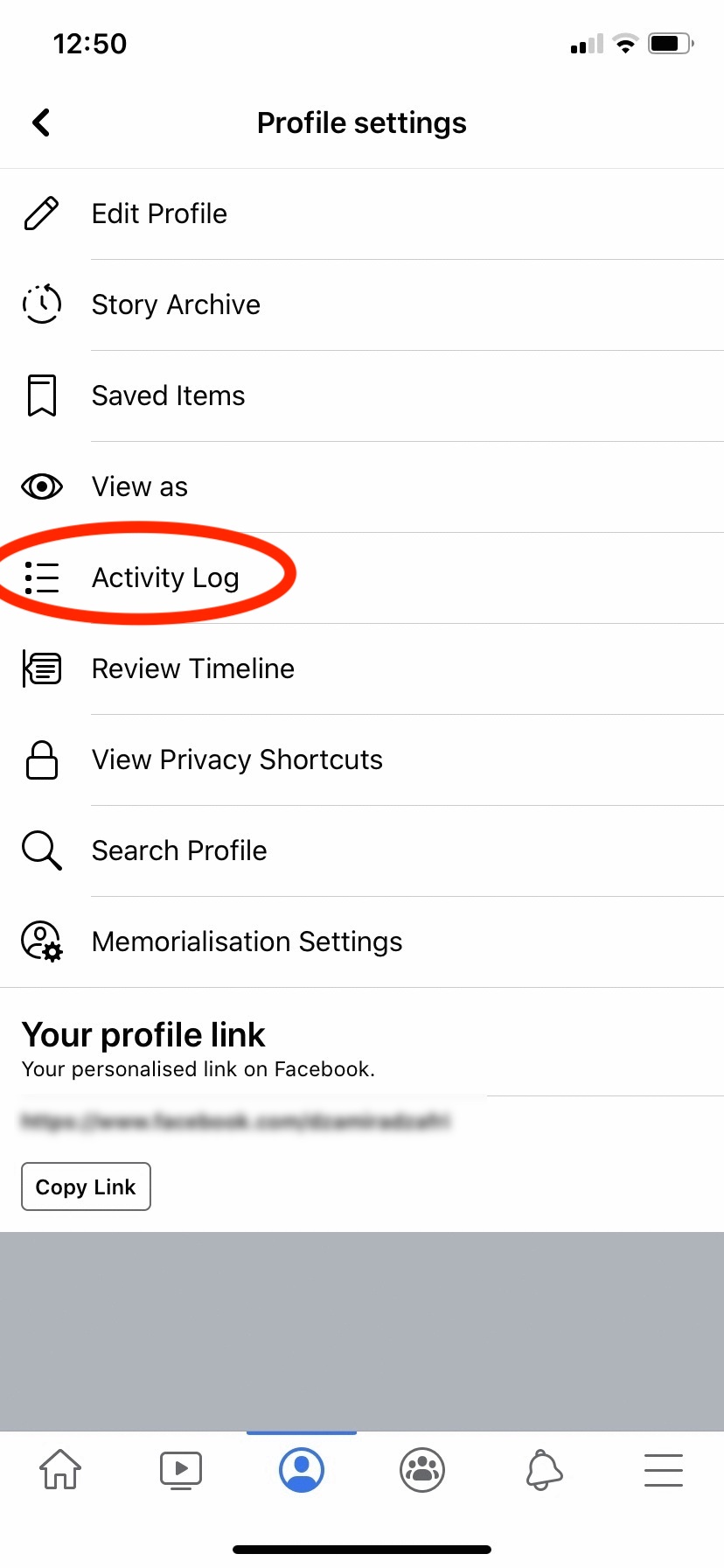
  • Choose ‘Activity Log’
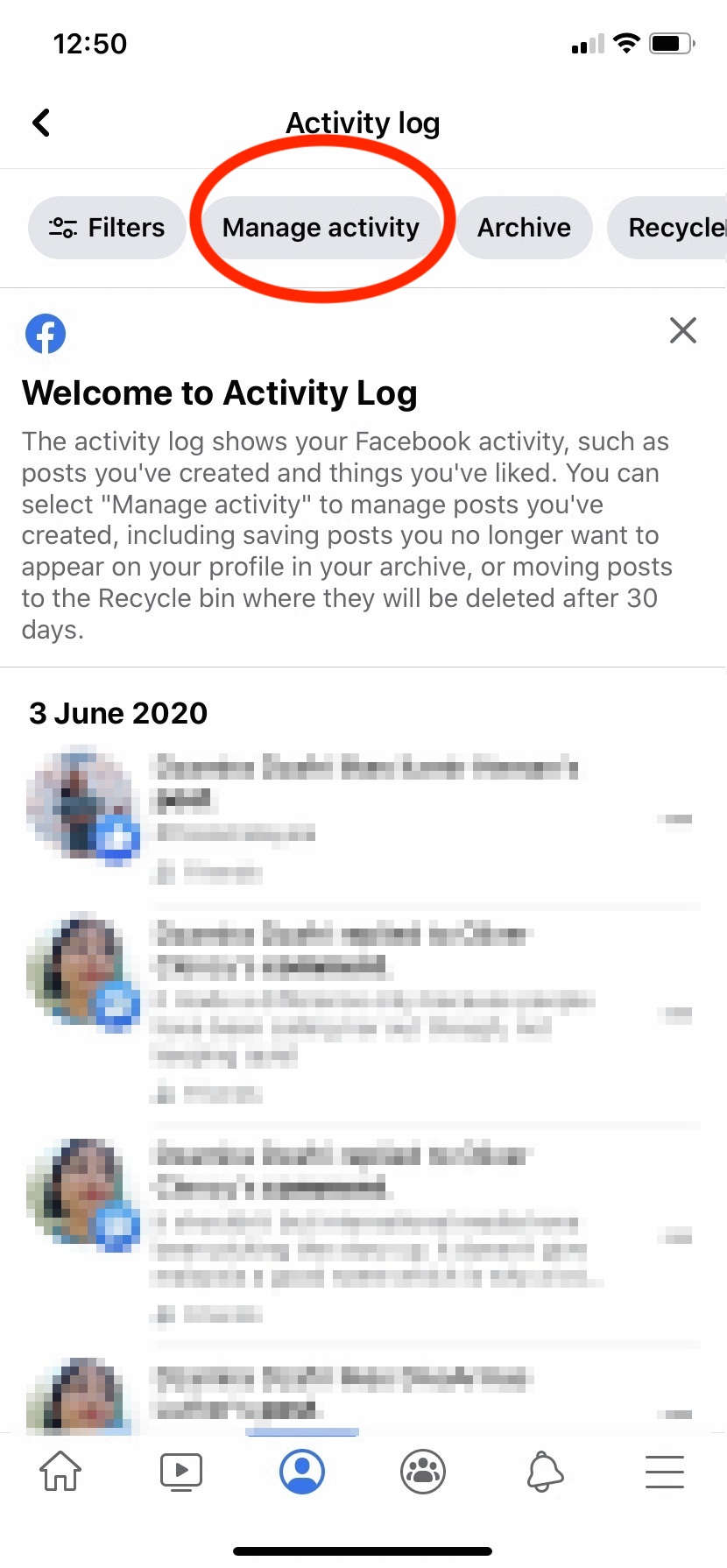
  • Press ‘Manage Activity’
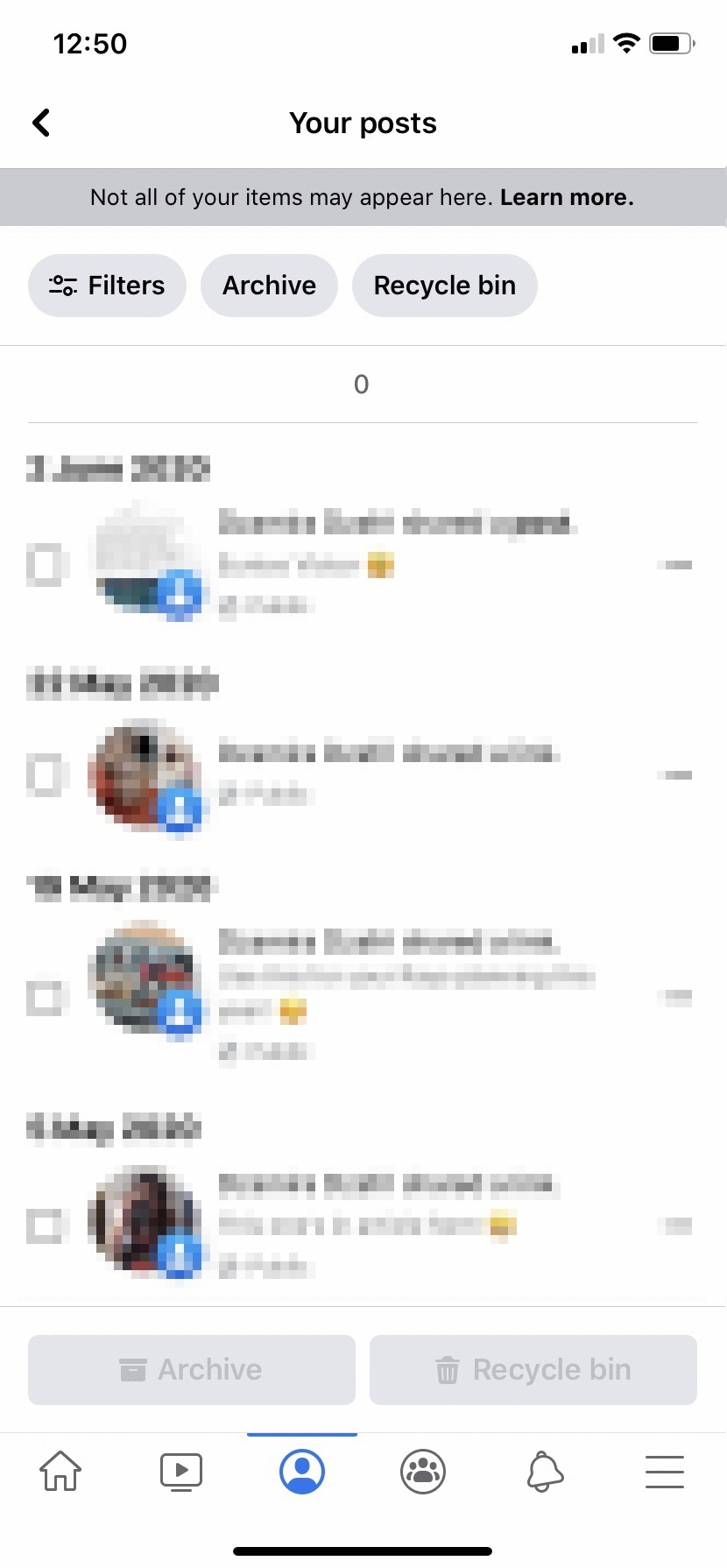
  • You’ll be able to see all your activities on your Facebook account. You may archive them or put the posts in the recycle bin
  • Press on ‘Filters’ to choose specific types of posts to look at. For example: You can pick ‘Categories’ where you can choose to manage text updates, photos and videos or posts from other apps. You can also pick ‘Date’ or ‘People’ to sort your posts based on those filters
  • Enjoy managing posts in bulk by pressing on the squares on the left side of the posts

Once you’ve pressed ‘Recycle Bin’ (the icon at the bottom of the page) to trash your old posts, you’ll get a warning saying “items moved to the recycle bin will be deleted after 30 days”. You can access ‘Recycle Bin’ with the icon on the top of the page, next to the ‘Archive’ icon, just in case you’ve thrown away something you want to keep.

For the ‘Archive’ option, it’s for posts that you don’t want to show on your profile, but instead can be seen by only you. You can restore items to your profile at any time, or move them to the Recycle Bin.

Hopefully, after giving my Facebook page a thorough clean up, I will no longer cringe at the state of my daily ‘Memories‘ feature. Click here to get more information about ‘Manage Activity’.


Tags: Facebookfacebook appManage Activity
Dzamira Dzafri

Dzamira Dzafri

POPULAR

You can finally trash all your old embarrassing Facebook posts at once

June 3, 2020

Small Steps, Daily Rewards: Exploring the Maybank Tabung Daily Bonus Campaign

May 28, 2026
Photo by Vitaly Gariev

Countdown to Kickoff: Unifi TV Brings All 104 FIFA World Cup 2026 Matches Live in HD

June 11, 2026

Zeekr X 2026 now open for booking in Malaysia, comes with automatic doors and built-in fridge

June 9, 2026

MyGOV app will stream FIFA World Cup 2026 matches for free

June 5, 2026

We’ve been accepting broken laptop designs for 20 years. Here’s what finally changed

June 9, 2026

Copyright © 2025 · SoyaCincau.com
Mind Blow Sdn Bhd (1076827-P)

  • ADVERTISE
  • DISCLAIMER

Copyright © 2026 · SoyaCincau.com – Mind Blow Sdn Bhd (1076827-P)

  • ADVERTISE
  • DISCLAIMER