• 中文版
  • BM
  • News
  • Deals
  • Reviews
    • First Impressions
    • Hands-on
    • Comparisons
  • Tech
    • Mobile
    • Computers
    • Cameras
    • Wearables
    • Audio
    • Drones
  • Telco
    • Celcom
    • Digi
    • Maxis
    • Time
    • Tune Talk
    • U Mobile
    • Unifi
    • Yes
  • Cars
  • Contribute
  • Jobs
Menu
  • 中文版
  • BM
  • News
  • Deals
  • Reviews
    • First Impressions
    • Hands-on
    • Comparisons
  • Tech
    • Mobile
    • Computers
    • Cameras
    • Wearables
    • Audio
    • Drones
  • Telco
    • Celcom
    • Digi
    • Maxis
    • Time
    • Tune Talk
    • U Mobile
    • Unifi
    • Yes
  • Cars
  • Contribute
  • Jobs
Search
  • Tech
    • News
    • Mobile
    • Computers
    • Cameras
    • Wearables
    • Audio
    • Drones
  • Telco
    • Celcom
    • Digi
    • Maxis
    • Time
    • U Mobile
    • Unifi
    • Yes
  • Reviews
    • First Impressions
    • Hands-on
    • Comparisons
  • Buyer’s Guide
  • Opinions
  • Digital Life
  • Video
  • Deals
  • How-To
  • Cars
  • Bahasa Melayu
  • EV
  • Contribute
  • Advertise
Menu
  • Tech
    • News
    • Mobile
    • Computers
    • Cameras
    • Wearables
    • Audio
    • Drones
  • Telco
    • Celcom
    • Digi
    • Maxis
    • Time
    • U Mobile
    • Unifi
    • Yes
  • Reviews
    • First Impressions
    • Hands-on
    • Comparisons
  • Buyer’s Guide
  • Opinions
  • Digital Life
  • Video
  • Deals
  • How-To
  • Cars
  • Bahasa Melayu
  • EV
  • Contribute
  • Advertise
Search
Close
Home News

Apple’s upcoming macOS update can help prolong your MacBook’s battery lifespan

  • BY Dzamira Dzafri
  • 17 April 2020
  • 5:12 pm
  • Comment
Share on FacebookShare on Twitter

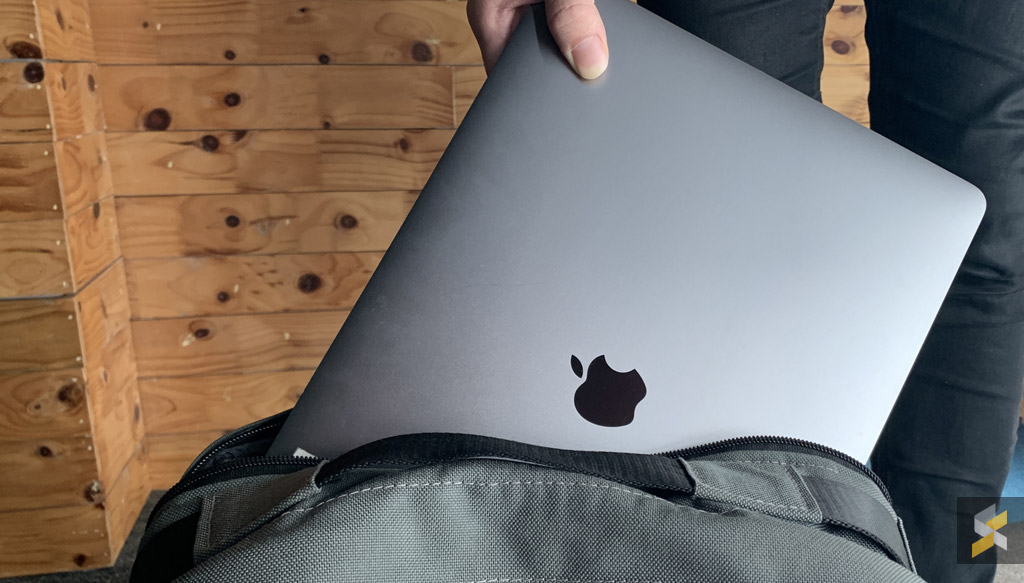
Apple announced a new feature called ‘Battery Health Management’, to extend the longterm life of their MacBook batteries. The feature is slated to become publicly available later this year as part of the new macOS Catalina 10.15.5 update.

‘Battery Health Management’ is intended to extend the overall lifespan of a MacBook battery by reducing the rate of chemical ageing. It does so by not charging the battery all the way up to the maximum in certain cases.

Some phones now avoid charging all the way to 100 percent until just before you wake up for this reason, as fully charging a battery puts more strain on it that can reduce its longevity over time. That’s especially important, as MacBook batteries are not user-replaceable. 

If you’re a MacBook user who tends to have their laptop plugged in nearly all the time, keeping your battery at 100 percent charge all the time could shorten its lifespan. However, Apple also adds that there are a variety of factors that could also be a reason to a change in your laptop’s battery health management, which includes ambient temperature, processor loads, and charging patterns.

Once you install the macOS 10.15.5 update, the ‘Battery Health Management’ feature will be enabled by default. But you’ll also be able to toggle it off through Catalina’s System Preferences menu.

Apple’s recent announcements also include a new and more affordable MacBook Air, and a new and more affordable iPhone SE. The company also plans to host an online presentation for new announcements and previews for what’s next.


[ SOURCE, 2, 3 ]

Tags: AppleMacBookmacOSmacOS Catalina
Dzamira Dzafri

Dzamira Dzafri

POPULAR

JPJePlate: Is the Malaysian flag printed wrongly on EV plates?

December 12, 2025

sooka’s Gilerrr Streaming Challenge Draws 273 Participants, Clinches Malaysia Book of Records Title

December 5, 2025

Apple’s upcoming macOS update can help prolong your MacBook’s battery lifespan

April 17, 2020

Perodua Traz: B-segment SUV with 1.5L engine and 471L boot, priced from RM76,100

December 17, 2025

U Mobile Unbeatable Phone Sale: Travel with FREE Global Roaming Across 60+ Destinations

December 10, 2025

Why have Malaysia’s 5G download speeds declined?

December 16, 2025

Copyright © 2025 · SoyaCincau.com
Mind Blow Sdn Bhd (1076827-P)

  • ADVERTISE
  • DISCLAIMER

Copyright © 2025 · SoyaCincau.com – Mind Blow Sdn Bhd (1076827-P)

  • ADVERTISE
  • DISCLAIMER