• 中文版
  • BM
  • News
  • Deals
  • Reviews
    • First Impressions
    • Hands-on
    • Comparisons
  • Tech
    • Mobile
    • Computers
    • Cameras
    • Wearables
    • Audio
    • Drones
  • Telco
    • Celcom
    • Digi
    • Maxis
    • Time
    • Tune Talk
    • U Mobile
    • Unifi
    • Yes
  • Cars
  • Contribute
  • Jobs
Menu
  • 中文版
  • BM
  • News
  • Deals
  • Reviews
    • First Impressions
    • Hands-on
    • Comparisons
  • Tech
    • Mobile
    • Computers
    • Cameras
    • Wearables
    • Audio
    • Drones
  • Telco
    • Celcom
    • Digi
    • Maxis
    • Time
    • Tune Talk
    • U Mobile
    • Unifi
    • Yes
  • Cars
  • Contribute
  • Jobs
Search
  • Tech
    • News
    • Mobile
    • Computers
    • Cameras
    • Wearables
    • Audio
    • Drones
  • Telco
    • Celcom
    • Digi
    • Maxis
    • Time
    • U Mobile
    • Unifi
    • Yes
  • Reviews
    • First Impressions
    • Hands-on
    • Comparisons
  • Buyer’s Guide
  • Opinions
  • Digital Life
  • Video
  • Deals
  • How-To
  • Cars
  • Bahasa Melayu
  • EV
  • Contribute
  • Advertise
Menu
  • Tech
    • News
    • Mobile
    • Computers
    • Cameras
    • Wearables
    • Audio
    • Drones
  • Telco
    • Celcom
    • Digi
    • Maxis
    • Time
    • U Mobile
    • Unifi
    • Yes
  • Reviews
    • First Impressions
    • Hands-on
    • Comparisons
  • Buyer’s Guide
  • Opinions
  • Digital Life
  • Video
  • Deals
  • How-To
  • Cars
  • Bahasa Melayu
  • EV
  • Contribute
  • Advertise
Search
Close
Home News

This is the safest way to secure your Google sign-ins

  • BY Nic Ker
  • 13 June 2019
  • 6:32 pm
  • Comment
Share on FacebookShare on Twitter

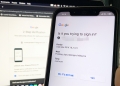
Google has rolled out a new update that allows you to use your Android smartphone as a 2-step verification security key for iOS devices. Previously, the updated feature only worked with devices on Chrome OS, macOS, or Windows 10.

The update means that you can now use Android (7.0 and above) devices to verify your sign-ins on iPhones and iPads. However, the process works a little different for the 2-step process on iOS devices.

On desktops, the 2-step process works via Google Chrome communicating directly with your Android smartphone—for iOS, your Android phone connects to the Google Smart Lock app on your iPhone/iPad.
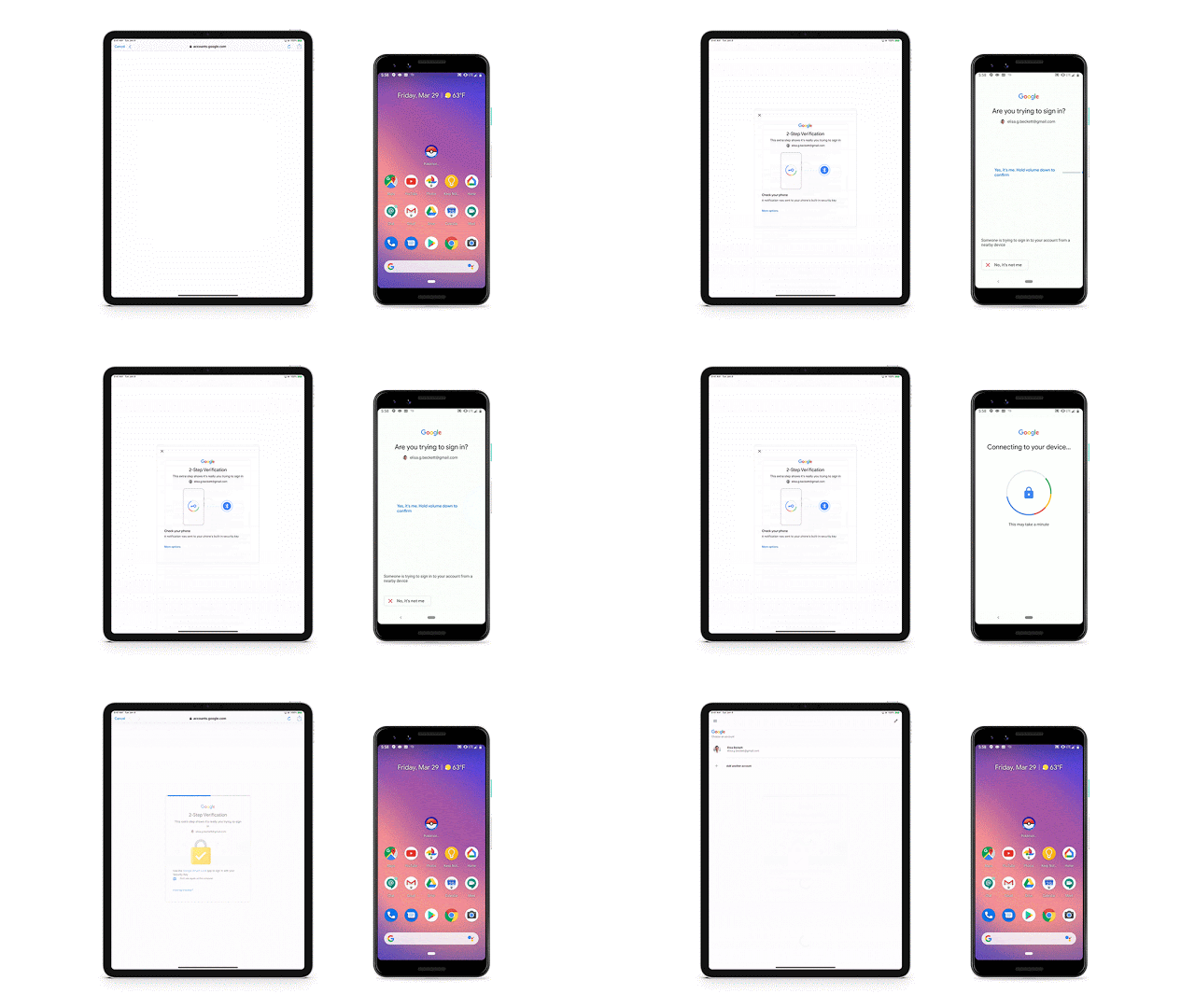
A quick breakdown of how it works for sign-ins on iOS devices:

  • When logging in on an iOS device, the Google Smart Lock app pings your Android device over Bluetooth.
  • You’ll be prompted to verify the sign in on your Android device.
  • The Google/Google Cloud sign-in will then be completed on your iOS device.

How to set it up

  • First, head over to your Android smartphone’s settings, and add your Google account (Settings > Accounts > Add account > Google).
  • Next, head to myaccount.google.com/security on Google Chrome and select ‘2-Step Verification’ (if you haven’t enabled 2-Step verification enabled, head here first.
  • Select “Add Security Key” and choose your Android smartphone from the list of devices.
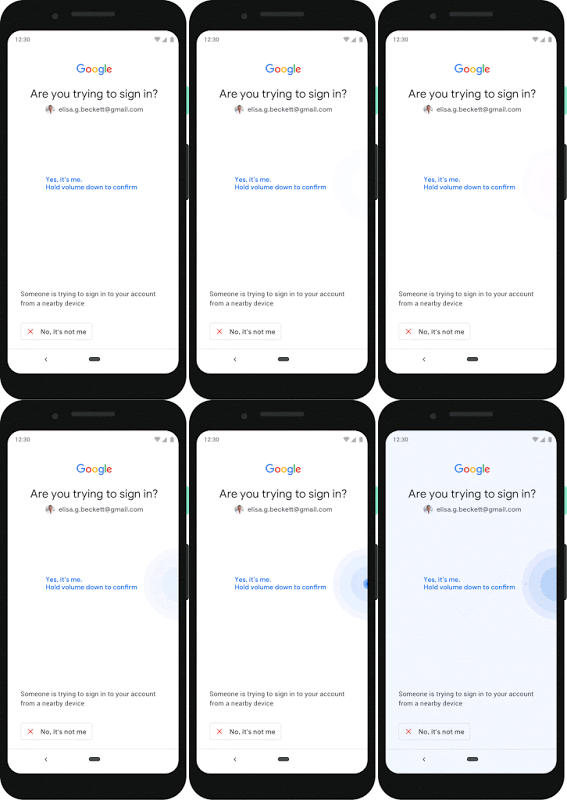
Using your Android device as a physical security key for two-factor authentication (2FA) isn’t just a measure of convenience. It’s also an issue of security. Other 2FA options such as SMS and Google Authenticator aren’t as secure—SMS can be vulnerable to phishing, and other 2FA methods don’t verify if the site you’re logging onto is the right site.

[ SOURCE ]

Tags: 2-step verificationAndroidApplegoogleiOSMobilesecurity
Nic Ker

Nic Ker

POPULAR

This is the safest way to secure your Google sign-ins

June 13, 2019

Small Steps, Daily Rewards: Exploring the Maybank Tabung Daily Bonus Campaign

May 28, 2026

Zeekr X 2026 now open for booking in Malaysia, comes with automatic doors and built-in fridge

June 9, 2026

MyGOV app will stream FIFA World Cup 2026 matches for free

June 5, 2026

Honor MagicPad 4 Malaysia: This tablet runs Android and Linux, available from RM2,999

June 4, 2026

We’ve been accepting broken laptop designs for 20 years. Here’s what finally changed

June 9, 2026

Copyright © 2025 · SoyaCincau.com
Mind Blow Sdn Bhd (1076827-P)

  • ADVERTISE
  • DISCLAIMER

Copyright © 2026 · SoyaCincau.com – Mind Blow Sdn Bhd (1076827-P)

  • ADVERTISE
  • DISCLAIMER