• 中文版
  • BM
  • News
  • Deals
  • Reviews
    • First Impressions
    • Hands-on
    • Comparisons
  • Tech
    • Mobile
    • Computers
    • Cameras
    • Wearables
    • Audio
    • Drones
  • Telco
    • Celcom
    • Digi
    • Maxis
    • Time
    • Tune Talk
    • U Mobile
    • Unifi
    • Yes
  • Cars
  • Contribute
  • Jobs
Menu
  • 中文版
  • BM
  • News
  • Deals
  • Reviews
    • First Impressions
    • Hands-on
    • Comparisons
  • Tech
    • Mobile
    • Computers
    • Cameras
    • Wearables
    • Audio
    • Drones
  • Telco
    • Celcom
    • Digi
    • Maxis
    • Time
    • Tune Talk
    • U Mobile
    • Unifi
    • Yes
  • Cars
  • Contribute
  • Jobs
Search
  • Tech
    • News
    • Mobile
    • Computers
    • Cameras
    • Wearables
    • Audio
    • Drones
  • Telco
    • Celcom
    • Digi
    • Maxis
    • Time
    • U Mobile
    • Unifi
    • Yes
  • Reviews
    • First Impressions
    • Hands-on
    • Comparisons
  • Buyer’s Guide
  • Opinions
  • Digital Life
  • Video
  • Deals
  • How-To
  • Cars
  • Bahasa Melayu
  • EV
  • Contribute
  • Advertise
Menu
  • Tech
    • News
    • Mobile
    • Computers
    • Cameras
    • Wearables
    • Audio
    • Drones
  • Telco
    • Celcom
    • Digi
    • Maxis
    • Time
    • U Mobile
    • Unifi
    • Yes
  • Reviews
    • First Impressions
    • Hands-on
    • Comparisons
  • Buyer’s Guide
  • Opinions
  • Digital Life
  • Video
  • Deals
  • How-To
  • Cars
  • Bahasa Melayu
  • EV
  • Contribute
  • Advertise
Search
Close
Home News

The latest iMovie for iOS allows you to edit videos over a green screen

  • BY Amin Ashaari
  • 12 June 2019
  • 5:58 pm
  • Comment
Share on FacebookShare on Twitter

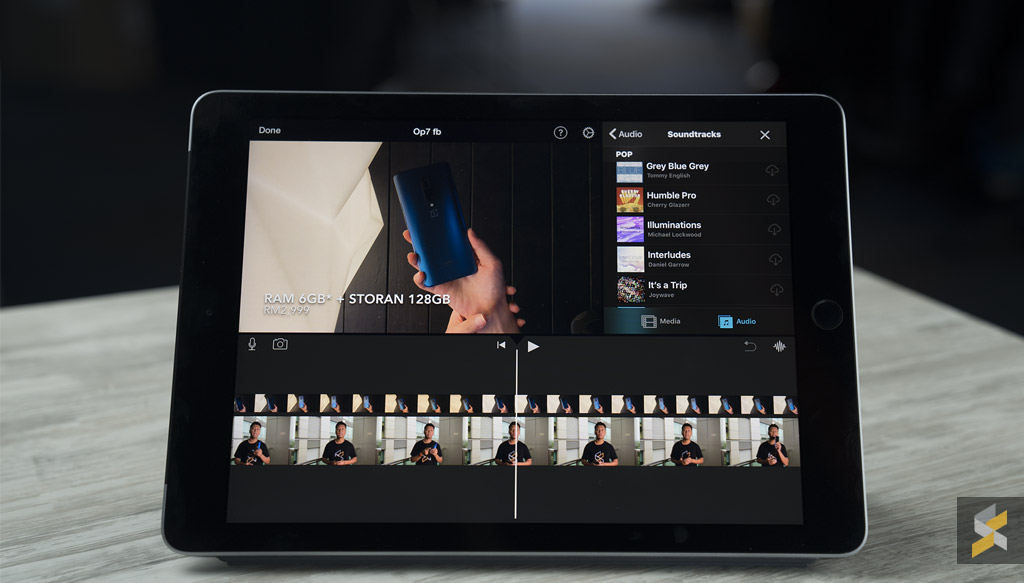
Apple has released an update for its iMovie video editing app for iOS. The latest version brings a whole host of new features including the ability to overlay videos over a green screen and 80 new soundtracks to choose from.

The update also allows you to add transparent background images into videos to use as logos or custom graphics.

Overall, the update makes iMovie a really versatile tool for quick and easy video editing yet still allowing a degree of flexibility for more complex edits
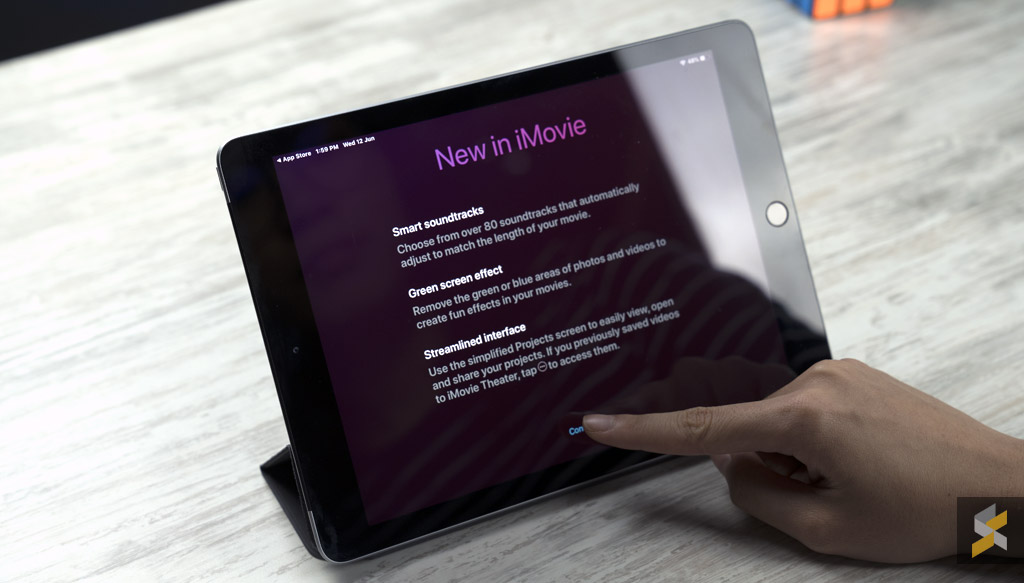
The full list of new features available in the latest iMovie app:

  • Transform your video with the new green screen effect that lets you instantly remove the background of clips shot in front of a green or blue screen
  • Adjust the green screen effect with a 4-point mask and strength slider
  • Choose from 80 new soundtracks in genres including pop, chill, and sentimental that automatically adjust to match the length of your movie
  • Drop in still images with transparent backgrounds to use as logos or custom graphics on top of your video
  • Add photos as overlays to create picture-in-picture and split-screen effects
  • Choose to hide the border that surrounds picture-in-picture and split-screen effects
  • Instantly return to the edit screen of your project when switching back to iMovie from other applications
  • ClassKit support lets students deliver video assignments to teachers using the Schoolwork app
  • For users with videos in iMovie Theater, the Theater window is now accessible from the ••• menu at the bottom of the Projects screen
  • Sharing to iMovie Theater is no longer supported; save your movies and trailers to iCloud Photos to watch them on other devices including Apple TV
  • Resolves an issue that could lead to a black viewer when previewing your video fullscreen on an external display

You can download iMovie for the iPhone and iPad here.

Tags: AppleappsiMovieiOSiPadiPhoneMobileTablet
Amin Ashaari

Amin Ashaari

POPULAR

The latest iMovie for iOS allows you to edit videos over a green screen

June 12, 2019

Is Your Current Phone Generations Behind? Here’s a Simpler Way to Close the Gap

March 13, 2026
Image source: Jakub Zerdzicki on Pexels

AEON Bank’s Personal Financing-i (PF-i): Flexible Funds to Help Ease Budget Constraints

December 24, 2025

The Xiaomi 17 Proves You Don’t Need a Giant Phone for Pro-Level Photos

February 28, 2026

U Mobile’s new ULTRA Prepaid now offers no speed cap for 5G. RM50 prepaid offers 500GB data and 2x ULTRA5G Priority pass

April 7, 2026

Maybank MAE users: Update your app by 11 April or risk losing access

April 4, 2026

Copyright © 2025 · SoyaCincau.com
Mind Blow Sdn Bhd (1076827-P)

  • ADVERTISE
  • DISCLAIMER

Copyright © 2026 · SoyaCincau.com – Mind Blow Sdn Bhd (1076827-P)

  • ADVERTISE
  • DISCLAIMER