• 中文版
  • BM
  • News
  • Deals
  • Reviews
    • First Impressions
    • Hands-on
    • Comparisons
  • Tech
    • Mobile
    • Computers
    • Cameras
    • Wearables
    • Audio
    • Drones
  • Telco
    • Celcom
    • Digi
    • Maxis
    • Time
    • Tune Talk
    • U Mobile
    • Unifi
    • Yes
  • Cars
  • Contribute
  • Jobs
Menu
  • 中文版
  • BM
  • News
  • Deals
  • Reviews
    • First Impressions
    • Hands-on
    • Comparisons
  • Tech
    • Mobile
    • Computers
    • Cameras
    • Wearables
    • Audio
    • Drones
  • Telco
    • Celcom
    • Digi
    • Maxis
    • Time
    • Tune Talk
    • U Mobile
    • Unifi
    • Yes
  • Cars
  • Contribute
  • Jobs
Search
  • Tech
    • News
    • Mobile
    • Computers
    • Cameras
    • Wearables
    • Audio
    • Drones
  • Telco
    • Celcom
    • Digi
    • Maxis
    • Time
    • U Mobile
    • Unifi
    • Yes
  • Reviews
    • First Impressions
    • Hands-on
    • Comparisons
  • Buyer’s Guide
  • Opinions
  • Digital Life
  • Video
  • Deals
  • How-To
  • Cars
  • Bahasa Melayu
  • EV
  • Contribute
  • Advertise
Menu
  • Tech
    • News
    • Mobile
    • Computers
    • Cameras
    • Wearables
    • Audio
    • Drones
  • Telco
    • Celcom
    • Digi
    • Maxis
    • Time
    • U Mobile
    • Unifi
    • Yes
  • Reviews
    • First Impressions
    • Hands-on
    • Comparisons
  • Buyer’s Guide
  • Opinions
  • Digital Life
  • Video
  • Deals
  • How-To
  • Cars
  • Bahasa Melayu
  • EV
  • Contribute
  • Advertise
Search
Close
Home Digital Life

You can create custom emoji that look like you with this new feature from Google Gboard

  • BY Raywen Ong
  • 1 November 2018
  • 9:32 am
  • Comment
Share on FacebookShare on Twitter

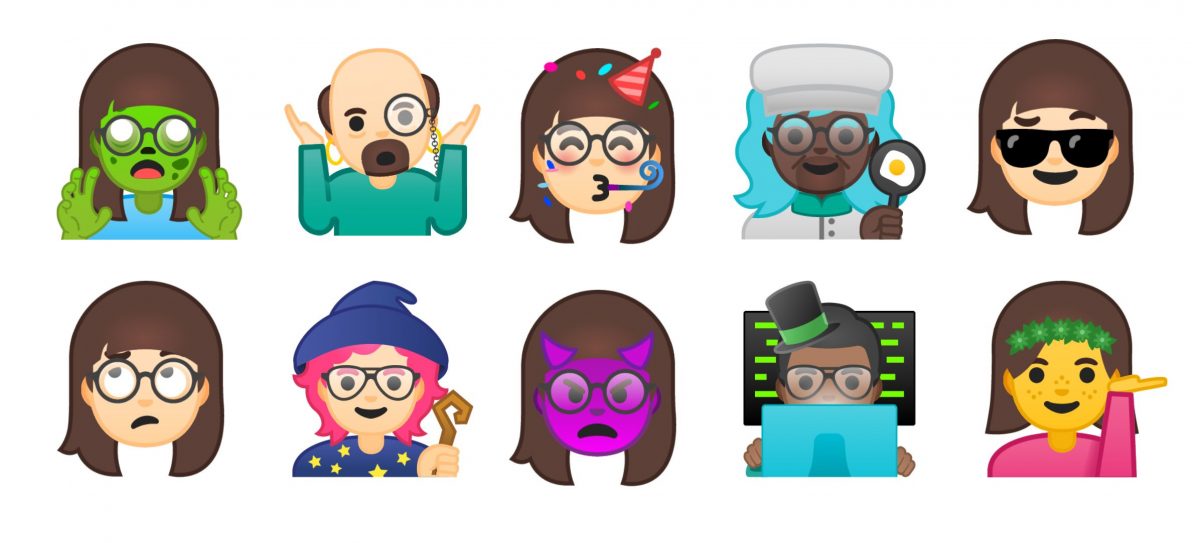
I love emoji. I use it all the time when I want to express something that is beyond words or just want to save time typing and I’m stoked that I can now create custom emoji that look like me thanks to this new “Emoji Mini” feature on Google’s Gboard keyboard app. 

The feature uses Google’s machine learning algorithm to suggest skin tone colour, hair and other elements to create illustrated stickers based on your selfie. There are also two styles to choose from: “bold,” for when you might be feeling a little extra, and “sweet,” for when you want a softer touch.

To create an emoji version of yourself, first, take a selfie using the Gboard keyboard app and then let Google’s machine learning algorithms, recommend the right skin tone, hairstyle and accessories to match your look. From there, you can customise the emoji to your heart’s content with different hair colour, facial hair or different types of headgear and eyewear. You can also choose to add freckles or wrinkles if you like.

Want to start creating your own Emoji Mini? Follow this step-by-step guide:

1) First, download and install Gboard

2) Tap the “G” icon on the top left of your keyboard
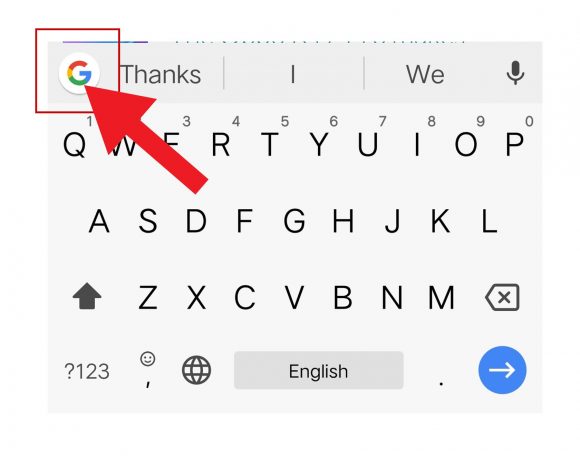
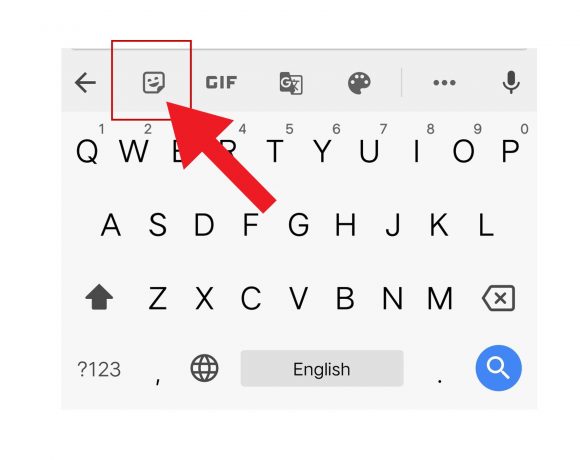
3) Press the sticker icon located right next to the GIF icon
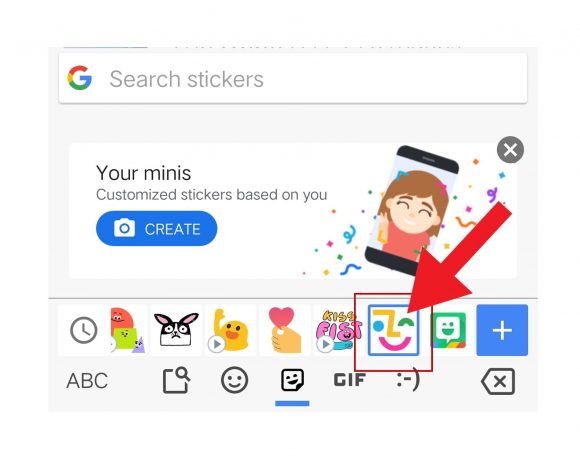
4) On the main banner, tap on the create button right under the “Your Minis” section 
 

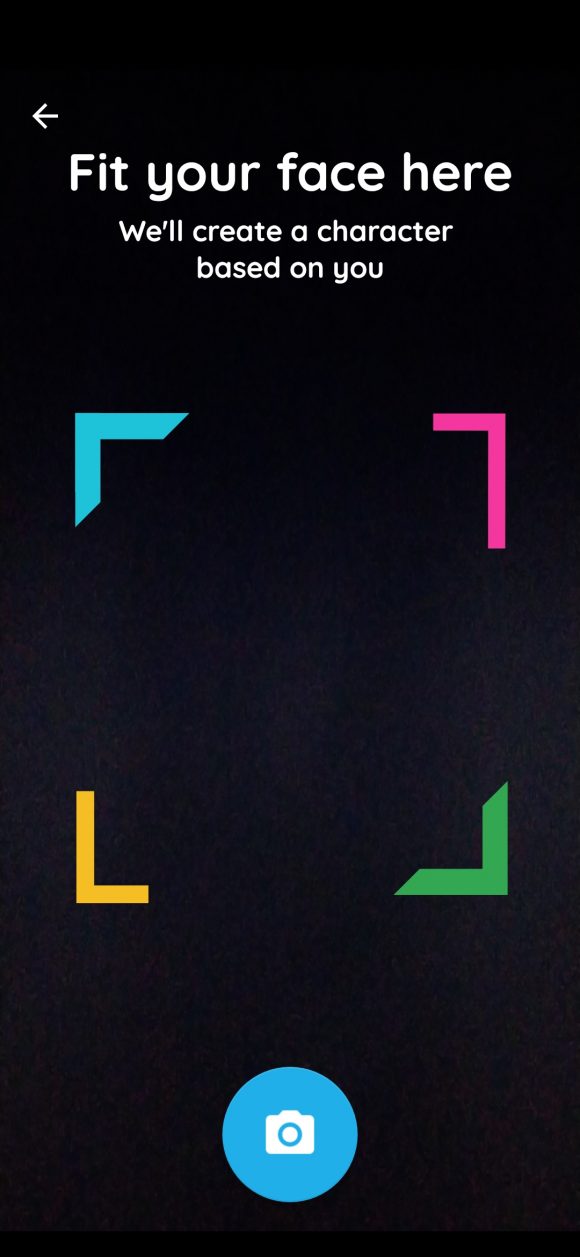
5)  Once that’s done, your front facing camera will be activated. You will be asked to fit your face inside the square guidelines.
6) Take your selfie and then let Gboard generate your very own emoji self
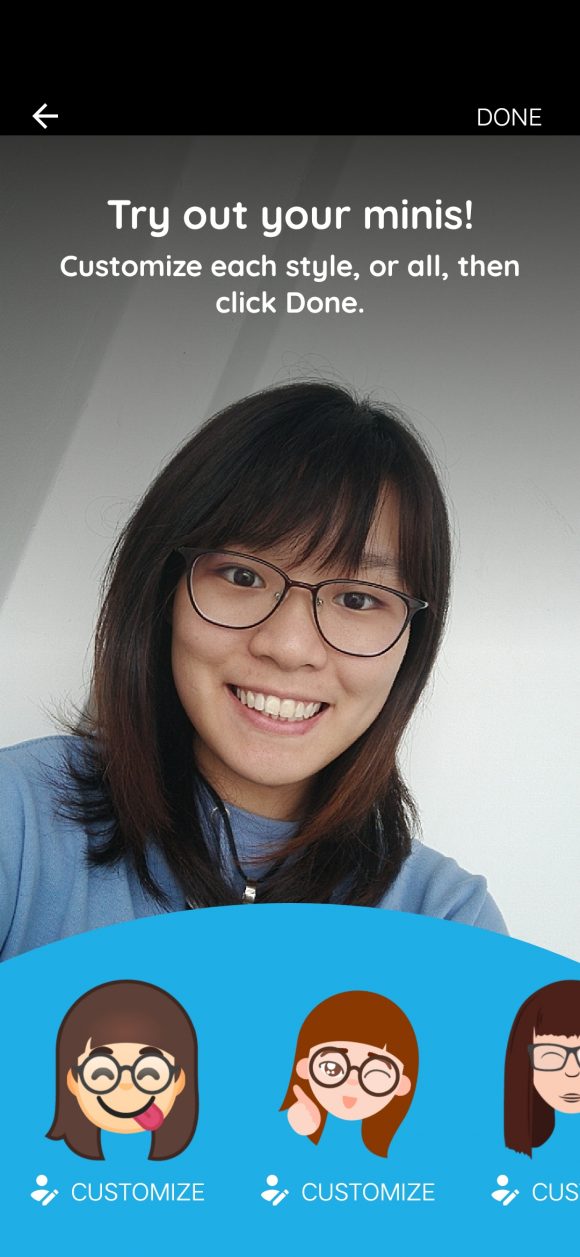
7) Once done, you can further customise your emoji
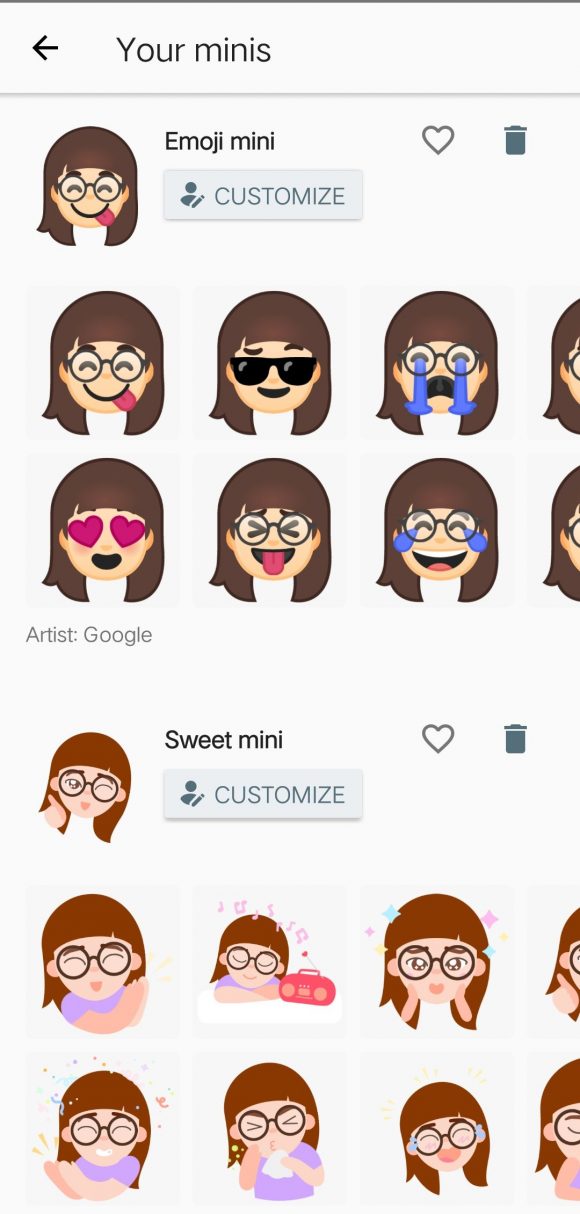
8) Once you’re satisfied with your emoji, hit the save button and you are good to go.

The Emoji Minis is unique to the Google Gboard keyboard app available for both iOS and Android. Try it out and share you emoji mini in the comments section.

[SOURCE]

Tags: AppEmojigboardgoogleMobileNews
Raywen Ong

Raywen Ong

POPULAR

Upgraded To a New Phone? Cool. But When Was the Last Time you Upgraded your Shaver?

November 10, 2025

You can create custom emoji that look like you with this new feature from Google Gboard

November 1, 2018

5 Reasons Every Home Should Have a Smart Security System

November 11, 2025

Solar ATAP: The new solar programme for consumers will only start in 2026

December 2, 2025
Perodua QV-E EV

Perodua QV-E is now official: Electric sportback with 201hp, 445km NEDC range, priced at RM80k not inclusive of battery subscription

December 1, 2025

GrabRewards is now GrabCoins: Now with even more ways to earn and save

November 17, 2025

Copyright © 2025 · SoyaCincau.com
Mind Blow Sdn Bhd (1076827-P)

  • ADVERTISE
  • DISCLAIMER

Copyright © 2025 · SoyaCincau.com – Mind Blow Sdn Bhd (1076827-P)

  • ADVERTISE
  • DISCLAIMER