• 中文版
  • BM
  • News
  • Deals
  • Reviews
    • First Impressions
    • Hands-on
    • Comparisons
  • Tech
    • Mobile
    • Computers
    • Cameras
    • Wearables
    • Audio
    • Drones
  • Telco
    • Celcom
    • Digi
    • Maxis
    • Time
    • Tune Talk
    • U Mobile
    • Unifi
    • Yes
  • Cars
  • Contribute
  • Jobs
Menu
  • 中文版
  • BM
  • News
  • Deals
  • Reviews
    • First Impressions
    • Hands-on
    • Comparisons
  • Tech
    • Mobile
    • Computers
    • Cameras
    • Wearables
    • Audio
    • Drones
  • Telco
    • Celcom
    • Digi
    • Maxis
    • Time
    • Tune Talk
    • U Mobile
    • Unifi
    • Yes
  • Cars
  • Contribute
  • Jobs
Search
  • Tech
    • News
    • Mobile
    • Computers
    • Cameras
    • Wearables
    • Audio
    • Drones
  • Telco
    • Celcom
    • Digi
    • Maxis
    • Time
    • U Mobile
    • Unifi
    • Yes
  • Reviews
    • First Impressions
    • Hands-on
    • Comparisons
  • Buyer’s Guide
  • Opinions
  • Digital Life
  • Video
  • Deals
  • How-To
  • Cars
  • Bahasa Melayu
  • EV
  • Contribute
  • Advertise
Menu
  • Tech
    • News
    • Mobile
    • Computers
    • Cameras
    • Wearables
    • Audio
    • Drones
  • Telco
    • Celcom
    • Digi
    • Maxis
    • Time
    • U Mobile
    • Unifi
    • Yes
  • Reviews
    • First Impressions
    • Hands-on
    • Comparisons
  • Buyer’s Guide
  • Opinions
  • Digital Life
  • Video
  • Deals
  • How-To
  • Cars
  • Bahasa Melayu
  • EV
  • Contribute
  • Advertise
Search
Close
Home News

Nexus devices start receiving Android 4.4.3 OTA Update. Here’s how to get it manually

  • BY soyacincau
  • 5 June 2014
  • 10:31 pm
  • Comment
Share on FacebookShare on Twitter

140604-nexus-android-4-4-3-update-android-central

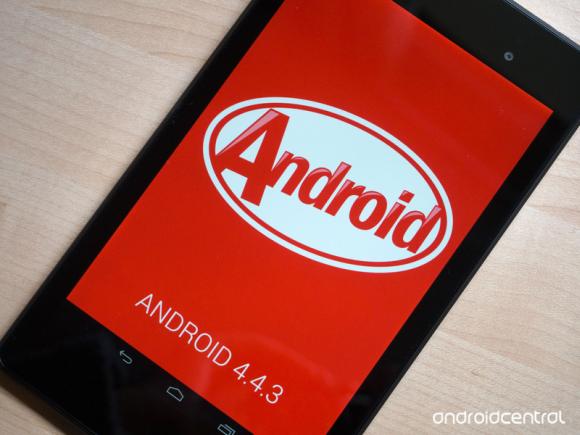
The latest Android 4.4.3 KitKat update is rolling out now to the Nexus 4, Nexus 5, Nexus 7, Nexus 10 and other Google Play Edition devices that’s sold in selected markets. If you still haven’t gotten the update yet, here’s how you can force update manually.

Before you proceed, make sure you are using the official Android 4.4.2 version which was obtained over the air (OTA). Also make sure that the firmware version below matches your current device accordingly. You can download the Android 4.4.3 update from the links below.

Nexus 4 (Android 4.4.2 (KOT49H) to 4.4.3 (KTU48L)
Nexus 5 Android 4.4.2 (KOT49H) to 4.4.3 (KTU84M)
Nexus 7 (2013 WiFi) Android 4.4.2 (KOT49H) to 4.4.3 (KTU84L)
Nexus 10 Android 4.4.2 (KOT49H) to 4.4.3 (KTU84L)

To flash your Nexus device, you would need to install the Android SDK on your computer and run a few command lines to start the update. The folks at Android Central have published a comprehensive step by step guide over here. Good luck and please proceed only if you are absolutely sure on what you’re doing.


[ SOURCE 2 ]

Tags: AndroidAndroid 4.4.3Android 4.4.3 UpdateNexus 10Nexus 10 MalaysiaNexus 4Nexus 4 MalaysiaNexus 5Nexus 5 malaysiaNexus 7Nexus 7 2013Nexus 7 Malaysia
soyacincau

soyacincau

POPULAR

sooka’s Gilerrr Streaming Challenge Draws 273 Participants, Clinches Malaysia Book of Records Title

December 5, 2025

JPJePlate: Is the Malaysian flag printed wrongly on EV plates?

December 12, 2025

BOMBA investigating fire involving two EVs parked at home

December 19, 2025

Nexus devices start receiving Android 4.4.3 OTA Update. Here’s how to get it manually

June 5, 2014

U Mobile Unbeatable Phone Sale: Travel with FREE Global Roaming Across 60+ Destinations

December 10, 2025

Perodua Traz: B-segment SUV with 1.5L engine and 471L boot, priced from RM76,100

December 17, 2025

Copyright © 2025 · SoyaCincau.com
Mind Blow Sdn Bhd (1076827-P)

  • ADVERTISE
  • DISCLAIMER

Copyright © 2025 · SoyaCincau.com – Mind Blow Sdn Bhd (1076827-P)

  • ADVERTISE
  • DISCLAIMER