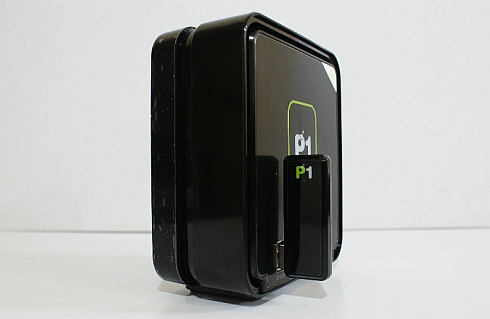
P1’s DV 230 WiMAX Modem is one of the first WiMAX with WiFi modem that’s easy to use thanks to its simple plug and play approach. The only technical bit for the user is to enter the predefined WEP password which is uniquely customised for each USB WiFi Module.
It looks all good and dandy but there’s just one small problem. We found out that the “unique” WEP password isn’t that unique after all.
If you’ve seen or used one of these, you will notice that they will give a randomised Wireless Access Point name or SSID such as 07D24A and followed by a long WEP password such as 7D24A1FFB0. Sure, you think that this is all safe but recently it was brought to our attention that there’s a simple flaw with the way they created these unique WEP passwords.
How to access your neighbour’s default unconfigured P1 DV 230 Modem?
After reading up some postings online and comparison with our own, we’ve discovered a similar pattern in all P1 DV 230 modems. Here’s how you get the WEP Password from the SSID:
- Get the SSID. e.g. 02B92C
- Remove the first character. (02B92C -> 2B92C)
- Add 1FFB0 (Zero not the letter O) (WEP Password: 2B92C1FFB0)
Easy, isn’t it? By default, most P1 customers would just switch on the modem and surf away without any need of changing the password. Therefore, it is highly likely that anyone can scan their WiFi and search for a SSID that contains 6 random numbers which is most probably a P1 WiFi modem. With the technique above, anyone can access a default P1 DV 230 modem without much restriction.
We’re surprised that P1 didn’t actually randomised the WEP Passwords and to add more insult to the injury, P1 also didn’t also put much effort in educating its customers on the need of changing their WEP password for security reasons.
Disclaimer: We do not condone unauthorised use and stealing of other people’s WiFi connection. We’re not responsible if you’re caught stealing WiFi connection and you may be subject to legal action if found guilty of doing so.
How do you protect your P1 DV 230 Modem?
If you’re a P1 DV 230 Modem user, you can change your WiFi WEP Password to prevent your neighbours from potentially sucking up your limited monthly bandwidth with the steps below.
- From your browser which could be either Internet Explorer or Firefox, enter http://10.1.1.254
- Enter the following:
Username: admin
Password: admin123 - Click on Networking at the top right
- On the left, click on WiFi
- Click on NEXT at the bottom to see your WiFi security settings.
- Select Manual Define and you will be able to make changes to your SSID and WEP Password.
- Apply and reboot your modem by clicking on the power icon on the top right.
- Your laptop/computer will be disconnected and you may need to search for the P1 DV 230 modem with the new settings.
If you feel your P1 connection is faster or use less bandwidth after changing your password, it looks like you’ve been suckered by someone close by.
We hope that P1 will notify its customers on this and hopefully they won’t repeat such security flaw in their future products.
DV 230 Manual Download
[ SOURCE ]